

 33
33  42
42  8
8 LCD or GPU Issue?
I have here an A1534 1.1 GHz model that has suffered the all to common CPU failure from I guess overheating, which must be common in these fanless Macbooks.... And someone is offering me the same model (But not sure the CPU as 3 versions were made) for next to nothing price, but it comes with this apparent display issue....
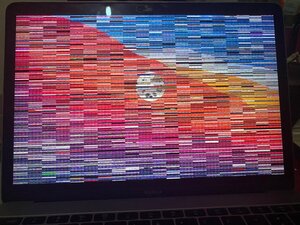
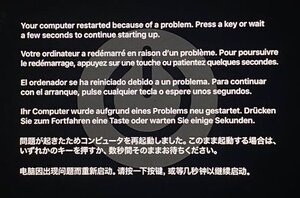
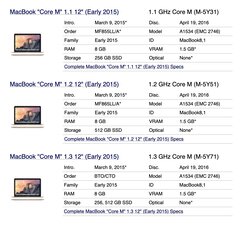
I am thinking to just swap over the logic board to make a 'working' unit, but I am concerned that there maybe an irreparable GPU issue other than a faulty display..... to me it looks reminiscent of the scenario when changing the default resolution and then rebooting where these similar lines appear for a split second until the system recognizes the adjusted resolution which to me points to a GPU error as the lines remain as pictured when the system is active.
Is this a good question?


2 Comments
it may be a gpu issue on your macbook or some componants going to the gpu got knocked off
by Zachery Le
Can you try it with an external monitor? That should tell you whether it's a GPU or display issue.
by Jerry Wheeler