Repair Guides
Learn how to fix just about anything with our step-by-step guides.
App
Your pocket repair helper.
FixBot
The friendly AI repair assistant.
Repairability
Learn why fixable products make sense.
Teardowns
Get a sneak peek inside the latest gadgets.
Answers Forum
Share solutions and get help from a friend.
Find Your Community
Find teams, events, and fellow fixers.
Help Out
Help make repair knowledge free and accessible for everyone.
Right to Repair
Learn about the Right to Repair movement and how to be an advocate.
Featured
Quality parts and tools backed by our lifetime guarantee.
Tools
Shop our wide selection of precision tools.
Parts
Shop parts backed by our quality guarantee.
iPhone Batteries
Batteries tested and guaranteed plus a kit with everything you need.
Free Shipping on Domestic Orders $75+
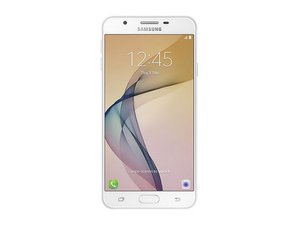
Released September 2016. Identified by Model No. SM-G610
J7 prime @j7prime41875
Rep: 1
Posted: Sep 1, 2025
My phone does not detecting SIM
Is this a good question?
1 Comment:
Basic troubleshooting for a Samsung Galaxy J7 Prime not detecting SIM:
1. Test the SIM card in another phone – if it works there, the issue is with your phone.
2. Clean the SIM card and tray – use a dry cloth or a cotton swab with isopropyl alcohol.
3. Restart the phone – sometimes the SIM is detected only after reboot.
4. Check SIM settings – go to Settings → Connections → SIM card manager.
5. Try another SIM card – to rule out a faulty SIM.
6. Software – update the phone, or perform a factory reset (back up data first).
7. Hardware – if none of the above works, the SIM reader may be worn out or defective. Fixing it requires replacing the SIM slot or motherboard.
Sep 1, 2025 by Markus Norstrøm
Past 24 Hours: 0
Past 7 Days: 0
Past 30 Days: 8
All Time: 115


Basic troubleshooting for a Samsung Galaxy J7 Prime not detecting SIM:
1. Test the SIM card in another phone – if it works there, the issue is with your phone.
2. Clean the SIM card and tray – use a dry cloth or a cotton swab with isopropyl alcohol.
3. Restart the phone – sometimes the SIM is detected only after reboot.
4. Check SIM settings – go to Settings → Connections → SIM card manager.
5. Try another SIM card – to rule out a faulty SIM.
6. Software – update the phone, or perform a factory reset (back up data first).
7. Hardware – if none of the above works, the SIM reader may be worn out or defective. Fixing it requires replacing the SIM slot or motherboard.
by Markus Norstrøm