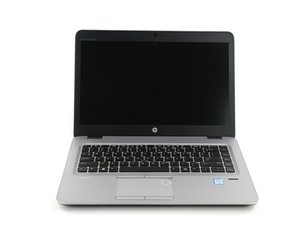
Repair information for the HP EliteBook 840 G3. This Hewlett-Packard laptop is designed for enterprise usage.

My laptop turns on but it doesnt boot

I was using my laptop and it suddenly show the orange screen error message and didnt reboot so i manually it off and now it doesnt boot. When i turn it on or try to turn on it just shows the hp logo and stops there i tried going to bios after turning it on buh the it doesnt even boot the bios and then diagnosis said it couldnt see the hard drive buh my hard drive is still in it.

Answered! View the answer I have this problem too

Is this a good question?

Score 0
Add a comment

2 Answers

Chosen Solution

Hey! I’m not a tech expert, but I'd love to help if I can.

I had a similar issue before, and what helped was resetting the CMOS. You can do this by unplugging the laptop, removing the CMOS battery (that little round battery inside), waiting a few minutes, then popping it back in and powering up again.

Also, try removing and reseating the RAM—sometimes it just needs a better connection.

Lastly, disconnect everything except power: no USBs, no external drives or peripherals, then reboot. If all else fails, it might be worth checking if the hard drive or SSD is properly connected or still working.

Was this answer helpful?

Score 1

1 Comment:

How do i go about removing the cmos battery tho.... and wont that reset the system ?

by

Add a comment
Most Helpful Answer

Your laptop likely has a failed or disconnected hard drive, preventing boot and BIOS access, so you may need to reseat/replace the drive or check with HP diagnostics for hardware failure.

Was this answer helpful?

Score 1

2 Comments:

Alr ill check the hard drive and update if it works or not

Thank youmfor your time

by

Done this but it didn't work

by

Add a comment

Add your answer

lightningninjagreen1 will be eternally grateful.
View Statistics:

Past 24 Hours: 1

Past 7 Days: 1

Past 30 Days: 9

All Time: 93
