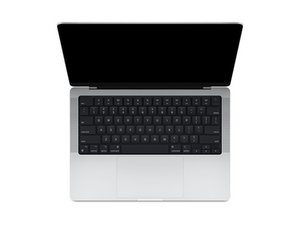
Repair guides and disassembly information for the 14-inch MacBook Pro released in October of 2021, featuring Apple-designed M1 Pro and M1 Max SoCs. Model A2442.

Keyboard registering wrong keys

I cleaned my keyboard with a moist cloth that was perhaps too moist. Now my right shift key doesn't trigger up anymore. If I press the right arrow it triggers up and I can type normally again. Is it possible to replace the keyboard?

I had a bit more issues, but those cleared up after a night of running cinebench. But the shift key issue remains after a few days.

Answer this question I have this problem too

Is this a good question?

Score 0
Add a comment

1 Answer

Most Helpful Answer

See if a hair dryer at low heat can help dry out the wet.

I try to stick with isopropyl alcohol 90% being the best as the lower quality tend to have impurities which you don't really want that can effect the plastics and leave junk behind.

Water is also good, but you need to be careful! You only want to use distilled as that's straight H2O no minerals or salts which can harm your computer's electronics.

As to replacing the keyboard, Apple does not make it easy! They only replace the entire uppercase assembly which is costly! Some independent shops will replace the keyboard alone but the workmanship then becomes the risk as some techs can be a bit hard on the system as you literally need to rip out the keyboard! As it's riveted to the uppercase.

Hopefully the dryer solves your plight !

Was this answer helpful?

Score 1
Add a comment

Add your answer

Christophe De Troyer will be eternally grateful.
View Statistics:

Past 24 Hours: 0

Past 7 Days: 0

Past 30 Days: 12

All Time: 73
