
Touchpad stopped working after battery replacement
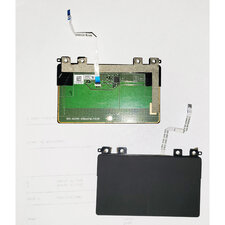
I purchased a replacement battery from iFixIt and the install went very well. However, the first time I started the laptop after replacing the battery, the touchpad worked for a bit, then suddenly stopped. The mouse cursor disappeared entirely. So I connected an external USB mouse and that mouse worked just fine. I checked Device Manager, and there is an error next to the IC2 HID device (which it seems is the touchpad).
There doesn't appear to be a way to upgrade the driver, but it also doesn't appear to be a software problem. I booted the laptop with an Ubuntu live USB and it didn't recognise the touchpad either. Again, I plugged-in an external USB mouse and that mouse worked fine in Ubuntu.
It seems like something must have happened, but I cannot figure out what. I opened the laptop again and checked the cables for the touchpad. As far as I can tell, nothing is amiss or lose. Any ideas on what I can do?
Is this a good question?

 7
7  1
1