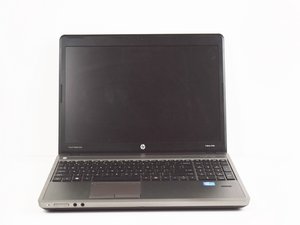
This HP model was released in 2012. Upgrades include a anti-glare 15.6" screen and a finger print reader.

Battery in not charging

I used windows 10. Then it was showing plugged in (not charging) now i was installed windows 11. Now its not showing (not charging) but it was stucked at 1%. I was using my laptop with only ac adapter

Answer this question I have this problem too

Is this a good question?

Score 0
Add a comment

1 Answer

If a device is plugged in but not charging, there are several possible reasons, including:

  • Your charging cable could be loose, unplugged, or damaged.
  • Your charging cable could have a weak connection because it wasn't made by your laptop's manufacturer.
  • Your charging ports could be clogged with dirt or debris that is keeping it from powering up properly.

Here are some things to try:

  • Check the connection: Unplug the charger from the device and the wall outlet, inspect the connection points for damage or debris, and reconnect the charger.
  • Check the outlet: Plug another device into the outlet to confirm it's working.
  • Try a different cable or charger: If possible, try using a different USB cable or charger.

Was this answer helpful?

Score 0
Add a comment

Add your answer

Sabastin Cruzz will be eternally grateful.
View Statistics:

Past 24 Hours: 0

Past 7 Days: 4

Past 30 Days: 25

All Time: 162
