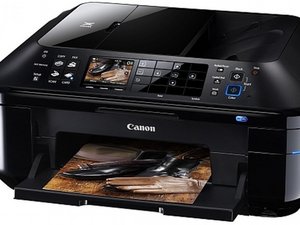

The Canon PIXMA MX884 is an all-in-one printer, scanner, faxer, and copier marketed towards homes and small office users.

How to replace ink absorber

I am getting a message that my ink absorber is almost full. Manual says to contact service center. Is there a way I can do this myself? Where is the ink absorber located in the printer?

Answer this question I have this problem too

Is this a good question?

Score 1
Add a comment

1 Answer

Most Helpful Answer

@mgug use the Canon PIXMA MX880 Series Service Manual On page 32 it will tell you how to replace the ink absorber. It's a PITA but better then tossing it in the bin and creating more eWaste. After that you will need the service tool (software) to reset the EEPROM counter. We can't attach software here so you depend on links like this For now, no link rot and it is still working

Was this answer helpful?

Score 1

1 Comment:

Thank you. This is very helpful.

by

Add a comment

Add your answer

MGug will be eternally grateful.
View Statistics:

Past 24 Hours: 1

Past 7 Days: 5

Past 30 Days: 13

All Time: 167
