
Free Shipping on Domestic Orders $75+

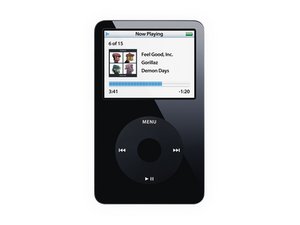
Model A1136 / 30, 60, or 80 GB hard drive / black or white plastic front

I've never played a video on this, nor do I see Video as an option

I definitely have two of the Classic 5th Generation units, both say model# A1136. However, I've never seen any way to play a video, as nothing on the unit says "video". Or does that option only show itself when a video is loaded into it? I've been using these for years, and this is the frist I'm being told about this. Any explanation?

Answer this question I have this problem too

Is this a good question?

Score 1
Add a comment

1 Answer

Most Helpful Answer

@stevencee here is what the user manual says :-)

"Watching Videos on iPod classic Videos you add to iPod classic appear in the Videos menus. Music videos also appear in Music menus. To watch a video on iPod classic: 1 Choose Videos and browse for a video. 2 Select a video and then press Play/Pause. When you play the video, you see and hear it."

Here is IPod Classic User Manual, just in case you do not have it. It'll tell you about the right formats etc. as well.

Was this answer helpful?

Score 1

6 Comments:

Thanks for the link to the manual, however it still doesn't answer my question. You say, "Choose Videos" and then browse for one, but I see no Videos menu on my iPod. That's why I never thought I owned the "Video" model, but knew it was the 5th generation Classic. Where would the Videos menu be found?

by

I just checked on mine (it’s been a while :-) and it shows Videos in the main menu. Use iTunes as well as the settings menu, to set your iPod up for video.

by

How odd, I would think it would be in the main menu, as everything else is, but it's not there, or in the settings menu. And when you say use iTunes, do you mean "Music", as there is no longer any iTunes, although it's still mentioned in a lot of Apple information. I think it's ridiculously confusing and counterproductive to have our music app, now called "Music", when there's a completely different paid app, called "Apple Music". But that's the genius of our current-day Apple developers & marketers...

By the way, I'm in the process of calibrating the two batteries I replaced in my iPods, and as I've discovered in reading, one kept on playing at least a few hours longer than when it showed zero battery strength, and the other has been playing a couple hours beyond that one, and still going. Oh, and I also found that I didn't have to disconnect any cable or cord, but the one connected to the old battery. As long as you don't have to open the device any wider than it takes to replace the battery, why risk it?

by

@stevencee get an old version of iTunes to setup your iPod :-) www.oldversion.com/windows/itunes/

by

@oldturkey03 Appreciate the suggestion, but I'm not even sure what you mean by an old version of iTunes, you mean the old iTunes app? I'm not sure how that would be able to be installed, as it would likely conflict with the Music app, plus I'm on a Mac, not Windows..

And I won't be watching any videos on it anyway, I just use the pair for my music gigs. I just thought it odd that I've never seen any mention of viewing videos with this, and recall that the video model came out after this one, but I guess I'm wrong. Oh well, take care...

by

Show 1 more comment

Add a comment

Add your answer

StevenCee will be eternally grateful.
View Statistics:

Past 24 Hours: 0

Past 7 Days: 2

Past 30 Days: 20

All Time: 142
