Free Shipping on Domestic Orders $75+

Repair, disassembly, and troubleshooting information for the Steam Deck with LCD display, a handheld gaming console made by Valve, released on February 25, 2022. Identified by model number 1010.

Middle pad of the power button ripped off. Where to bridge that from?


Image


The middle pad (B) on my steam deck's power button got ripped off. I want to bridge the middle pin to a via or another pad but don't know which one. Do you guys know any?

The pads with the stars are all ground.

In case there's no pad I can bridge to, do you know how to turn my deck on without using the power button? Thanks a lot 🙏.

Answered! View the answer I have this problem too

Is this a good question?

Score 2
Add a comment

2 Answers

Chosen Solution

I don't have a Steam Deck board handy (It's on my list of would like to haves) and I can't tell in any of the images where that trace might lead. Is there any remnants of the pad, or the trace that you could get a multimeter on? I see a bit of copper, but I can see that most of the plane surrounding that whole area is ground. So my guess is that it goes through the board somewhere.

If you can get any little hint of a nub from that pad, or the trace it should be attached to put your multimeter in continuity mode and poke around until you get a beep. I might specifically check any of the other points in that area since there aren't many components on either side of the board. I'll check some of my usual haunts to see if I can get more info.

UPDATE: 06.23.2024

Got a Steam Deck board to tinker with, coincidentally. Pulled the switch off to see if I could suss this out. Switch came off without incident, but it's very clear that there are no traces leading from this pad, so it definitely goes into the board and comes up somewhere else.

Did some quick continuity testing to see if I could figure out where. No joy on that same side of the board.

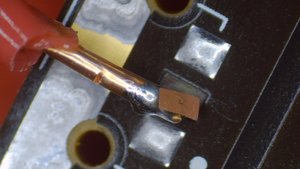
Soldered a wire to that pad so I could check for continuity with components on the other side of the board. Wire coating melted back when I soldered it down (and it was slightly too thick a wire, but it's what was handy). Went to bend it a bit so it didn't touch the ground plane around the edge and ripped up the pad. -_-

Pics for humorous failure. I'll get there, but now I have less to work from. See tiny nub of a connection under where the pad was :D

Image
Image

UPDATE 2: 07.01.2024

Sourced from the discord server in the comments below. I confirmed this on my own "for science" Steam Deck board. I have not found anywhere else that this line comes up on my F7A board.

This shot was taken after I removed the ITE IT5570VG. red pad is the one for the power button. Note the microSD card reader's position in the below images for orientation.

Image
Image

So you can definitely repair this, but it won't be easy either way you go. You can do like me and dig the trace out from where it got pulled. But you'll need to be very gentle. The trace is very thin and easily damaged. Travels along the orange arrow

Image

Or you can make an enormously long jumper to the other end of the board. But you'll need to remove the ITE chip since the correlated pad is on an interior row.

Was this answer helpful?

Score 2

21 Comments:

Hey there Alisha, thanks for the response.

The pad was completely ripped off unfortunately, I tried scraping the board a little to see if there was a lead to that pad but I just found ground everywhere around it.

by

@jimfarid Just out of curiosity, try scraping above where the pad would be rather than below, like it seems you did. It looks like there might be a trace leading toward the edge of the board from your pictures, but I can't tell for sure. The arrow is partly obscuring that area and the contrast on black PCBs makes it so hard to read them from images.

by

Hello Alisha! Thank you so much for the follow up. I scraped all around the B point and I couldn't find any trace, all I found was ground. This is really weird, it seems as though the solder pad wasn't even attached to anything, however, I don't think this is the case, since I have soldered the button to the A and C pads only and it didn't work.

by

@jimfarid If you still haven't gotten this sorted I actually have a Steam Deck board coming in in the next few days. So give me a yell if I don't remember to drop back in.

by

I appreciate this a lot Alisha, thank you so much. I would totally love it if you could help me see where I can jump that middle button pin to. I will leave another message on wednesday to see if you already have the steam deck board. Thank you so much 🙏

by

Show 16 more comments

Add a comment

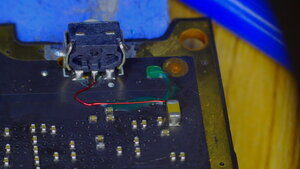
There is an alternative method to access the trace near to the power button on the 2nd layer of the board.

Its a very fine trace, not much else going on in this area.

Image
Image
Image

Was this answer helpful?

Score 0

3 Comments:

sir sir adam woods i have the same problem can this bridge will direct to middle ripped power buttons sir?

by

@kawasakikirito

Yes, connect this trace to the middle connection of the button. Added another picture of completed repair

by

can u please send me exact pin out of the point i can bridge the middle pin sir adam. thanks and godbless u sir.

by

Add a comment

Add your answer

Jim Farid will be eternally grateful.
View Statistics:

Past 24 Hours: 1

Past 7 Days: 11

Past 30 Days: 44

All Time: 1,590