Free Shipping on Domestic Orders $75+

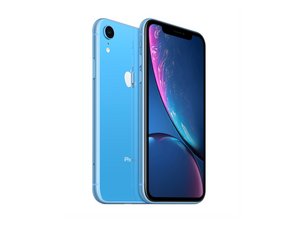
Released October 26, 2018. Models A1984, A2105, A2106, A2108. Available as GSM or CDMA / eSIM, nano-SIM or dual-SIM / 64, 128, or 256 GB / Black, White, Blue, Yellow, Coral, or Red. (Pronounced "iPhone 10 R.")

Can you share how to remove iPhone XR from iCloud

I've bought the software, but I don't know if it can really remove iCloud can someone guide me

Answered! View the answer I have this problem too

Is this a good question?

Score 2
Add a comment

1 Answer

Chosen Solution

No, only the original owner the account on the phone is locked to can remove it.

Was this answer helpful?

Score 4

4 Comments:

Nigel is correct! You can’t remove iCloud from a iPhone or iPad you don’t share the Apple ID with. Here’s a bit more If your Apple ID is locked or disabled

by

I really want to remove my locked iCloud from my iPhone

by

Visit an Apple Store with your sales slip of the phone (needs to have the S/N) and you need your ID to prove you are the owner of the phone.

If it’s a used phone or a family members they won’t unlock it.

by

If it is your phone go into the settings and factory reset the device and it will prompt for your Apple account password then enter your account and password then click on remove from find my then after it is reset it will no longer be linked to your apple account

by

Add a comment

Add your answer

Lucarcio will be eternally grateful.
View Statistics:

Past 24 Hours: 2

Past 7 Days: 5

Past 30 Days: 9

All Time: 151

