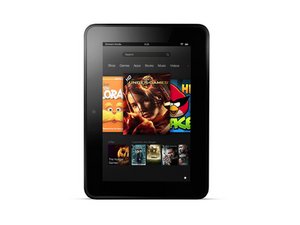
Updated version of the Kindle Fire 7" tablet by Amazon with 1280x800 HD display. Released September 2012. Repairing this device is straightforward.

How can I get a wire head phone jack out of my fire tablet

I had a pair of wired headphones and I had the jack suck an do forgot so I decided that my new head phones can go in but when I tried it pushed the jack in further and I can not find a place to get it out

Update (05/31/2022)

Also now I cannot hear anything

Answer this question I have this problem too

Is this a good question?

Score 0
1 Comment

Mine to Butit is in really deep my dad even tried using a drill to get it out

by

Add a comment

3 Answers

Most Helpful Answer

Hi,

Try opening the tablet and check if the broken headphone plug tip can be pushed back out of the jack at all.

If not or doing this damages the jack, you may have to replace the jack.

Here's the ifixit Kindle Fire HD Headphone Jack Replacement guide that may help.

As they are not all the same for the different Fire HD models, to find suppliers of the correct replacement part, look for the model number of your tablet (usually found on the back cover) and search online for Kindle Fire HD (insert model number) headphone jack

Was this answer helpful?

Score 1
Add a comment

I had a few ideas to suggest, but then I ran across this article that covers them all, and then some.

How to Remove a Broken Headphone Jack - Headphonesty

Easiest and most straight-forward is to use the ink barrel from a ball-point pen, it should fit over the broken plug and pull it back out. Worst case there are tools available made specifically for that purpose, and iFixIt even sells them here.

GripStick Headphone Plug Extraction Tool - iFixit Store

GripStick is a tool designed to easily remove broken 3.5mm headphone plugs from jacks Image

Product

GripStick Headphone Plug Extraction Tool

$24.99

Was this answer helpful?

Score 1

1 Comment:

I used a pair of nose hair scissors ✂️ they have pin point sharp tips like tweezers to get on the sides of the broken 3.5mm tip and pulled it right out.

by

Add a comment

Removing a stuck headphone jack from your Fire tablet requires care to avoid damaging the device. Here's what to try: 1. Grab: With good lighting, gently wiggle the visible part of the jack to see if it loosens enough to grab with tweezers or small pliers. 2. Attract: Try a thin straw with sticky tape inside, or a toothpick dabbed with glue, to adhere to the jack for pulling. 3. Lure: If part of the metal ring is exposed, use a tiny, blunt tool like a paperclip (unbent) to gently pry it upwards and out. 4. Seek Help: If these fail, avoid drilling or harsh adhesives. Take your tablet to a qualified repair technician to prevent further damage. Remember, safety first!

Was this answer helpful?

Score 0
Add a comment

Add your answer

SCARLETT BORN will be eternally grateful.
View Statistics:

Past 24 Hours: 4

Past 7 Days: 20

Past 30 Days: 78

All Time: 8,483

