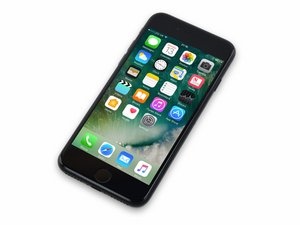

Released September 16, 2016. Model 1660, 1778 Available as GSM or CDMA / 32, 128 or 256 GB / Rose Gold, Gold, Silver, Black, and Jet Black.

How to remove the component above the flash unit

I’m trying to do a complete parts scavenging on an iphone 7. with the help of the ifxit teardown guides and my own digging around, i’ve been able to remove everything but one piece. it’s the part that sits on top of the flash unit. it looks a lot like the wifi antenna on the upper left, but it doesn’t come out as easily and i can’t find an ifixit guide that addresses this part specifically.

after removing the screws, it still feels like it’s attached to the flash, or case, by adhesives, but i don’t want to just force (or finesse with heat) at the risk of breaking something that needs to be disconnected first.

can anyone share their experience with removing this component, and also telling me what this component is/does?

Thanks

Block Image
Answered! View the answer I have this problem too

Is this a good question?

Score 0
Add a comment

1 Answer

Chosen Solution

In the top left where you have removed one of the screws, that metal tab can be lifted then there is a standoff that needs to be removed. Have highlighted the area in blue

Block Image

Was this answer helpful?

Score 1

3 Comments:

@tonywilmot

you rock! thank you. never would have figured to look under the metal screw flap.

btw, do you happen to know what this component is that i was finally able to remove?

by

@beekerc I'm not entirely sure to be honest. In the board schematics it is referred to as 'UAT Tuner Flex'. I would guess it tunes WiFi/Bluetooth/NFC etc for specific regions. I have replaced them in the past for faults with WiFi and NFC so must have various uses.

by

@tonywilmot

makes sense. it does look a bit like the other wifi antenna.

thanks again for your info

by

Add a comment

Add your answer

B C will be eternally grateful.
View Statistics:

Past 24 Hours: 0

Past 7 Days: 1

Past 30 Days: 4

All Time: 70