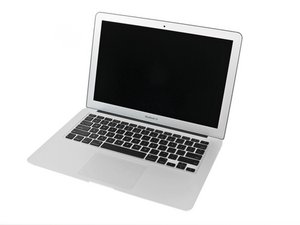
Model A1369, 1.6, 1.7, or 1.8 GHz Processor, 64, 128 or 256GB Flash Storage

Power Button without function

My Mac Book Air (2013) has a broken Power Button. There‘s no function if I try to turn it on or off with Power Button. But if I disconnect my battery and connect it again, it‘ll turning on. So is this a keyboard issue and will be solved with a new one? Can it be caused to my battery? Or is there another potential reason?

Thanks :)

Answered! View the answer I have this problem too

Is this a good question?

Score 0
Add a comment

1 Answer

Chosen Solution

It does sound like you narrowed down the issue. There is a set of contacts (power pads) on the logic board which if you short across them for a moment your should also power on.

Block Image

If they do then you’ll need a new uppercase (which is the easier fix) or you need to replace the keyboard its self (much harder) for either you’ll need to follow this guide: MacBook Air 11" Mid 2011 Upper Case Replacement Finding the upper case part will take a bit of hunting as they are no longer being made look for Apple P/N 661-6072

Was this answer helpful?

Score 2

3 Comments:

Thank you very much!

Actually I‘m new to MacBook stuff (did iPhones a lot and feel safe with some MacBook repair tasks)... Hut can you explain me, how to „short across contacts“? May this is a language problem (I‘m from Germany and my English is kinda rusty), but I don‘t get it... Sorry about this.

by

@doenerkater - I use a flat bladed screwdriver. It just takes a quick hit. Think of it like a switch which shorts across the two wires to turn the light on.

by

Awesome, thank you so much.

by

Add a comment

Add your answer

Katrin will be eternally grateful.
View Statistics:

Past 24 Hours: 0

Past 7 Days: 0

Past 30 Days: 6

All Time: 354
