Free Shipping on Domestic Orders $75+

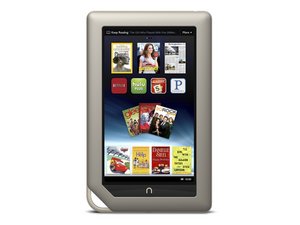
7" multimedia tablet by Barnes & Noble, released in November of 2011. Fixes are easy and require simple prying tools and screwdrivers.

NOOK BNTV 250 not upgrading from 1.4.3 following Nook instructions

I have Nook BNTV250! I realize it is dated but the battery is great and stays charged. The software level on this device is 1.4.3. In its present state, it will not connect to the internet, although I can get the wireless connected to my router. I looked up on Barnes and Noble what to do and I followed all the directions yet. the upload did nothing to update the Nook. Anyone else have this problem and come up with a solution?

Answered! View the answer I have this problem too

Is this a good question?

Score 0
Add a comment

1 Answer

Chosen Solution

Hi,

If you can't connect to the internet then the tablet won't also be able to update either as the update procedure in most tablets just tries to connect to the manufacturer's firmware download server using a preloaded URL address that you don't have to enter.

Connecting to your router at least proves that the WiFi is working

Don't know the tablet but is the date and time on the tablet correct?

With some older Android OS based tablets if the date and time wasn't correct then they wouldn't connect to the internet.

Was this answer helpful?

Score 1

3 Comments:

Discovered the Problem. Nook does not offer 1.4.4 upgrade. It appears to have been available back in 2018 for a brief time. But now is not. And all Nook upgrades for my unit, require 1.4.4 to already be there. (from being installed back in 2018). Appears to be a marketing way to make Nooks that were not updated within the time frame useless! And it worked perfectly for Barnes and Noble! I have tossed the unit.

by

Hi @Henry Zieman

It should still connect to the internet regardless and not have to be updated to do this.

Presuming that it already had a browser app installed of course

by

If anyone is still trying to get this to work. Most Websites won't function due to certificate errors.

Though if you do want to still get to 1.4.4. You can, use the Way Back machine to download the Firmware from B&N's archived store.

Connect your Nook Color to your PC & drop the firmware on the root of your Nooks file share. Restart the device and pray the boot loader grabs the patch. I had some trouble with this step but after messing with it for awhile & leaving it on & charging the update eventually went through.

by

Add a comment

Add your answer

Henry Zieman will be eternally grateful.
View Statistics:

Past 24 Hours: 1

Past 7 Days: 5

Past 30 Days: 33

All Time: 2,379
