
Free Shipping on Domestic Orders $75+

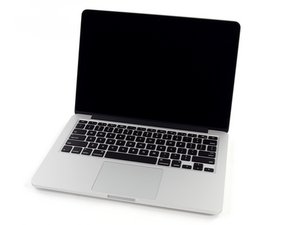
Model A1502 / 2.4, 2.6, or 2.8 GHz dual-core Intel processor / Released October 2013

MBPro completely dead // does not boot

Hey Guys,

my MacBook Pro 13“ is completely dead. I put it to sleep and it didn’t start afterwards. The screen stays black and the fan doesn’t move. When I connect the MacSafe adapter I get an orange light. I already tried to reset the SMC and PRAM.

Also I disconnected the battery from the mainboard overnight and reconnected it today, but still nothing…. The battery was replaced about 2 years ago and was working fine until yesterday.

Any ideas, other than a faulty logic board?! :)

Answer this question I have this problem too

Is this a good question?

Score 0
Add a comment

1 Answer

Most Helpful Answer

Given the age of your system unless you’ve replaced the battery at least once I’m sure your battery has died. So you’ll need to replace it MacBook Pro 13" Retina Display Late 2013 Battery Replacement and here’s the needed part MacBook Pro 13" Retina (Late 2013-Mid 2014) Battery

To make sure that’s the issue let’s double check. Disconnect the battery again make sure you follow the guides first six steps. This time with the battery disconnected (and anything else) press the power button to full discharge the logic board and this time with the system on its side edge plug in your MagSafe power adapter, your system should spontaneously startup on its own, did it?

Replace a 6600 mAh battery compatible with MacBook Pro 13" Retina Late 2013 to Mid 2014 A1502 model laptops. 74.9 Watt Hours (Wh). 11.42 Volts (V). Image

Product

MacBook Pro 13" Retina (Late 2013-Mid 2014) Battery

$89.99

Was this answer helpful?

Score 1

2 Comments:

@danj Thanks for the quick answer! I changed the battery about two years ago. I still tried your steps, unfortunately the MBP still doesn’t boot up :/ Any other ideas I could check?

by

Not good ;-{ This is starting to look like a logic board failure. It's going to take someone with deeper skills to fix the logic board or if your system only had 4 or 8 GB of RAM maybe you should find a 16 GB RAM board to replace it.

Then there is the elephant in the room! The new M1 based 13"MacBook Pro! It maybe time to look at it as an option.

by

Add a comment

Add your answer

Crypto Maniac will be eternally grateful.
View Statistics:

Past 24 Hours: 0

Past 7 Days: 0

Past 30 Days: 17

All Time: 92
