
Free Shipping on Domestic Orders $75+

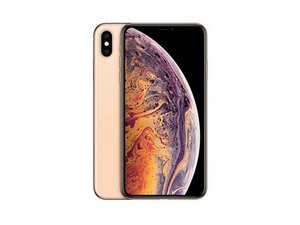
Released September 21, 2018. Models: A1921, A2101, A2102, and A2104 / Available as GSM or CDMA / eSIM or nano-SIM / 64, 256, or 512 GB / Silver, Gold, or Space Gray (Pronounced "iPhone 10 S Max.")

No SIM Card Error

I replaced a customer’s shattered back glass/frame and screen. Everything works except there’s a weird issue when I push the after market screen all the way into the frame the phone says “No SIM CARD installed”….when I lift the screen back up the service come back as normal. . The original screen doesn’t have this issue. I tried multiple aftermarket, same issue. what could cause this??

Some extra info I had another customer come to me with this issue after screen replacement at another business. I replaced her screen and the issue was still there, she claims she put a rubber band in the SIM slot and it works perfect now. Oddly Both AT&T service. I’ve used this same aftermarket on XS max phones many times but these 2 phones have the issue

Answer this question I have this problem too

Is this a good question?

Score 0
Add a comment

2 Answers

Most Helpful Answer

It sounds like something is shorting out when the screen is put into place, I would say take a look in the phone and see if there is any metal on metal contact between the screen and the SIM tray and possibly try and cover it with some tape or another insulator.

Hope this helps!

Was this answer helpful?

Score 1
Add a comment
Block Image

I have this issue after replacing my entire midframe(“ battery housing “) i pried up on the grounds that make contact with the screen they follow around where the screen would sit flat and I didn’t have this issue again. I circled where they make contact on the screen

Was this answer helpful?

Score 0
Add a comment

Add your answer

Brittany will be eternally grateful.
View Statistics:

Past 24 Hours: 0

Past 7 Days: 4

Past 30 Days: 10

All Time: 580
