Free Shipping on Domestic Orders $75+

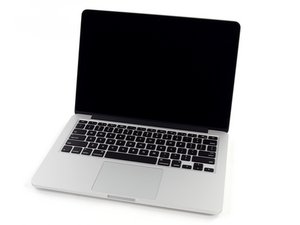
Model A1502 / 2.6 GHz (Turbo Boost up to 3.1 GHz) or 2.8 GHz (Turbo Boost up to 3.3 GHz) dual-core Intel Core i7 processor with 4MB shared L3 cache.

Display bright area problem

Hi guys, I am hoping someone can give me a hint, I have this Macbook that i purchased recently and the bottom part part of the screen is very bright (as you can see in the photos)

Connecting it to a monitor works fine. The track pad is sometimes unresponsive and battery also is dead.

Is it possible that the battery is so damaged that it damaged the other components as well?

I knowingly purchased it like this to be used at home with a monitor, keyboard and mouse, but if it is something else, other than the display, I would like to have it fixed.

If, however, it is the display back-light, than I don’t see a reason to as it would cost me too much.

The seller said this happened after upgrading the OS, but i suspect liquid damage. If anyone have any ideea i would very much appreciate. Thanks.

Block Image
Block Image
Answered! View the answer I have this problem too

Is this a good question?

Score 0
Add a comment

1 Answer

Chosen Solution

Your hunch the system had liquid damage is most probable!

The display is made up of a collection of plastic defuser sheets to move the light more evenly from the bottom string of backlight LED’s as you can see in this teardown MacBook Pro Retina Display Teardown. What likely happened is the liquid had seeped between the sheets along the bottom altering the defusing effect so the light can’t get higher up.

If you have access to the system you could check the liquid markers on the logic board as well as see how wet the system got.

Given how much the parts would be needed to fix this:

It would need to be very cheap!

Replace a display compatible with the model A1502 late 2013 to mid 2014 Retina 13" MacBook Pro laptop. Includes the Retina 2560 x 1600 pixel 13.3" LCD screen, display cover, bezel, FaceTime HD Camera, clutch hinges, Wi-Fi antenna, camera, and display data cables. Image

Product

MacBook Pro 13" Retina (Late 2013-Mid 2014) Display Assembly

$449.99

Replace a broken or damaged 2.6 GHz logic board in your Mid 2014 MacBook Pro 13" with this part. Image

Product

MacBook Pro 13" Retina (Mid 2014) 2.6 GHz Logic Board

$149.99

Replace a 6600 mAh battery compatible with MacBook Pro 13" Retina Late 2013 to Mid 2014 A1502 model laptops. 74.9 Watt Hours (Wh). 11.42 Volts (V). Image

Product

MacBook Pro 13" Retina (Late 2013-Mid 2014) Battery

$89.99

Was this answer helpful?

Score 1

2 Comments:

Thanks Dan! I think the price was right, not too expensive, so I will keep using it with an external monitor.

by

You should still inspect the logic board as while it may not be failing now, letting it stew could damage things on the long haul.

by

Add a comment

Add your answer

a.gavrilescu will be eternally grateful.
View Statistics:

Past 24 Hours: 0

Past 7 Days: 1

Past 30 Days: 9

All Time: 152
