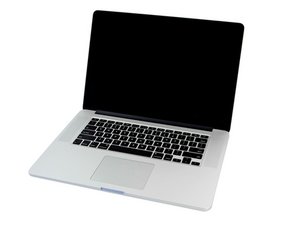
2.0GHz, 2.3GHz, or 2.6GHz quad-core Intel Core i7 processor (Turbo Boost up to 3.8GHz) with 6MB shared L3 cache.

Fixing LCD Connector on the Screen?

Hello,

i have a MacBook Pro A1398 Late 2013 with no image and no backlight. I discovered that the LCD connector on the Logicboard is working fine with no shorts. However the LCD Connector + Cable on the Screen is blown. It seems that the 2 connectors are identical. Is it possible to replace the Connector on the LCD or is the LCD probably bad from this?

Update (18.01.2020)

Block Image
Block Image

Here are 2 Pictures of the Cable and the LCD Connector. The last 3 Pins on the right Side are bad and in the Cable the left ones too. I will buy a LCD Connector and a new cable and try replace them. A new Screen isnt worth the cost (for me)

Answered! View the answer I have this problem too

Is this a good question?

Score 0
2 Comments

Can you post a few pics of the logic board and cable connectors we can see what's up Adding images to an existing question

by

@bulb201 if you know how to solder replace the connector. The panel will most likely be okay.

by

Add a comment

1 Answer

Chosen Solution

The display cable is replaceable on its own. Its a bit tricky! Here’s a teardown of the display MacBook Pro Retina Display Teardown. You only need to take the display fully off MacBook Pro 15" Retina Display Late 2013 Display Assembly Replacement to then slide off the clutch cover to gain access to the cable and its connector (Step 5) after removing the antenna assembly. Theres a bit of tape covering it which you’ll need to peel up to pop the retaining bar (same as the logic board side) Retina MacBook Pro 13"/15" Hinge Left - Display Cable (12-15) P/N 818-2882

Update (01/18/2020)

Before you try replacing the logic board connector how about first cleaning the corrosion damage on the solder joints on the left side (side with the arrow)

Block Image
MacBook Pro 15" Retina Display Mid 2012 Image

Guide

MacBook Pro Retina Display Teardown

Difficulty:

Moderate

MacBook Pro 15" Retina Display Late 2013 Display Assembly Image

Guide

MacBook Pro 15" Retina Display Late 2013 Display Assembly Replacement

Difficulty:

Moderate

1 - 2 hours

Was this answer helpful?

Score 2

2 Comments:

I also thought about that! I just saw a Louis Rossmann Video where there is the same Problem that I have https://youtu.be/z1EOTP51fz0

He also tried first cleaning the Connector but this did blow immediately the Cable again and now I am a bit afraid of that

by

Add a comment

Add your answer

Bulb201 will be eternally grateful.
View Statistics:

Past 24 Hours: 0

Past 7 Days: 5

Past 30 Days: 18

All Time: 933
