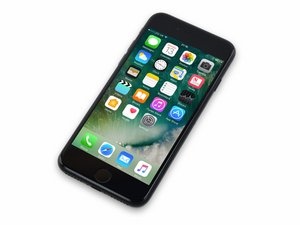

Released September 16, 2016. Model 1660, 1778 Available as GSM or CDMA / 32, 128 or 256 GB / Rose Gold, Gold, Silver, Black, and Jet Black.

Home Button Not Working After Screen Replacement

So a month or so ago, my boss came up to me and asked me to fix his iPhone 7’s broken screen. I swapped the OEM broken screen for a cheap $20 replacement screen from Nasteck, and everything worked fine, until my boss dropped it off of the coffee table and shattered the cheap screen. This time, I ordered the $70 replacement screen from iFixit, but when trying to transfer the home button over, the connector wouldn’t snap together. I tried snapping the home button onto the broken Nasteck screen, and it wouldn’t work either. I’m worried that the original home button is now broken, and Touch ID is gone forever. Can I send in the iFixit screen for warranty/refund?

Answered! View the answer I have this problem too

Is this a good question?

Score 0
Add a comment

1 Answer

Chosen Solution

Customer service is at: https://help.ifixit.com/

Was this answer helpful?

Score 3

2 Comments:

I tried re-connecting the original home button to the new iFixit screen, and now the Touch ID fingerprint sensor works but the home button itself doesn't actuate. What's the most likely culprit? My best guess is the home button flex connector itself isn't making complete/proper connection, but if anyone knows anything different, any advice is greatly appreciated!

by

@bludude4 Usually a tear in the home button flex cable or screen to logic board flex is the culprit. A damaged connector is the other alternative. A visual inspection with a good light source and preferably a microscope are needed to spot very small damages.

by

Add a comment

Add your answer

Tom Christie will be eternally grateful.
View Statistics:

Past 24 Hours: 0

Past 7 Days: 0

Past 30 Days: 2

All Time: 111