
15% Off Selected iFixit Tools — Limited Time
Free Shipping on Domestic Orders $75+

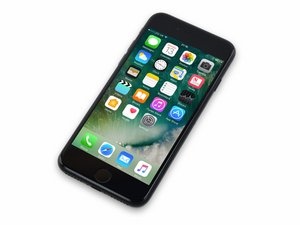
Released September 16, 2016. Model 1660, 1778 Available as GSM or CDMA / 32, 128 or 256 GB / Rose Gold, Gold, Silver, Black, and Jet Black.

Loop mode after changing battery

Replaced my iPhone 7 battery yesterday. I’ve done this in the past with my old iPhone so I felt fairly confident. Followed directions and all seemed to go smooth. When powered back on, my phone is stuck in loop mode and won’t fully start up. Rechecked all my cables and all seem fine. After further investigation I realized my phone would fully start up and work if I left the home button cable unplugged. Home button obviously doesn’t work, but everything else works fine. Any ideas what my issue may be??

Answer this question I have this problem too

Is this a good question?

Score 0
1 Comment

My phone charges up and works fine without the shorter home button cable plugged in (other than not having a home button). I’m actually using it right now. It just won’t start up when home button is hooked up. Does this point to an issue with the home button or is it possible that it will boot up if I leave it in loop mode for a while?

by

Add a comment

2 Answers

Most Helpful Answer

From your case it would be either one of the following:

The home button flex cable on the home button itself has been torn. Extremely unlikely if the metal bracket for the home button was not removed from the screen.

The most likely cause is a microtear on the screen cable itself. It'll be the smaller cable specifically coming from the screen and not the front camera.

The part where it tears is behind the metal shield that goes on top of the back of the screen.

Hopefully just the screen needs to be replaced rather than the home button which if it is the latter would required to be replaced by an aftermarket one with no touch ID.

Was this answer helpful?

Score 1

1 Comment:

Ben is right. This is a common problem after removing and replacing the screen. If you leave it long enough it should boot and you can confirm.

by

Add a comment

Check the parts near the battery connector. Be sure that battery is charged or connect to battery connector properly.

Was this answer helpful?

Score 0
Add a comment

Add your answer

CHRISTRUSCH88 will be eternally grateful.
View Statistics:

Past 24 Hours: 0

Past 7 Days: 6

Past 30 Days: 25

All Time: 201
