
Free Shipping on Domestic Orders $75+

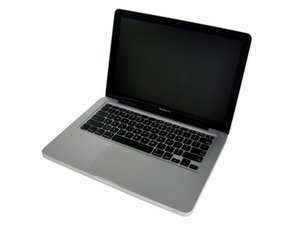
Mid 2012 model, A1278 / 2.5 GHz i5 or 2.9 GHz i7 processor.

Bluetooth problems on 2012 MacBook

So I have a mid 2012 macbook pro… my bluetooth is on and search for devices but it isn’t finding anything…. my airport is also neither working…. I noticed there seems to be an antenna missing from the board…. hopefully the picture works. I have tried to locate it but it doesn’t appear to be there at all… can anyone help?

Answer this question I have this problem too

Is this a good question?

Score 0
Add a comment

1 Answer

Most Helpful Answer

Review this guide MacBook Pro 13" Unibody Mid 2012 AirPort/Bluetooth Board Replacement Jump down to Step 9 are these cables present?

There is also a ribbon cable on the other side that often needs replacement MacBook Pro 13" Unibody (Early 2011-Mid 2012) Airport/Bluetooth Cable. Follow this guide: MacBook Pro 13" Unibody Mid 2012 AirPort/Bluetooth Cable Replacement to replace it.

Replace the cable that connects the wireless board to the logic board compatible with the A1278 Early 2011 to Mid 2012 13 inch Unibody MacBook Pro laptop. Part #922-9780. Identified by 821-1312-02 printed on the cable. Image

Product

MacBook Pro 13" Unibody (Early 2011-Mid 2012) Airport/Bluetooth Cable

$9.99

MacBook Pro 13" Unibody Mid 2012 AirPort/Bluetooth Board Image

Guide

MacBook Pro 13" Unibody Mid 2012 AirPort/Bluetooth Board Replacement

Difficulty:

Moderate

20 - 30 minutes

MacBook Pro 13" Unibody Mid 2012 AirPort/Bluetooth Cable Image

Guide

MacBook Pro 13" Unibody Mid 2012 AirPort/Bluetooth Cable Replacement

Difficulty:

Moderate

15 - 25 minutes

Was this answer helpful?

Score 1

10 Comments:

Hi dan! Thanks for getting back to me, The ones that are highlighted with red circles are present yes but the one that isn’t highlighted in step nine isn’t there...... is this something to so with the bluetooth/Airport ?

by

Look at Step 8, this is the Bluetooth cable. It comes out of the displays hinge with the other cables do you see an end floating around?

by

Hi Dan, no I can’t see that one at all....

by

So this systems Bluetooth never worked then?

Did you have the system serviced at some point?

by

Hi dan, no it just searches for devices but nothing ever comes up.......

by

Show 5 more comments

Add a comment

Add your answer

Stephen Cosgrove will be eternally grateful.
View Statistics:

Past 24 Hours: 0

Past 7 Days: 3

Past 30 Days: 15

All Time: 1,257
