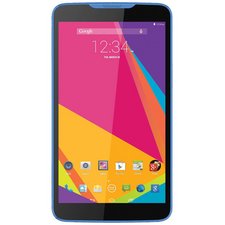
Why cant I touch the screen on the phone
I think my mother board is gone out how do i fix it
Is this a good question?
Score
1

I think my mother board is gone out how do i fix it
Is this a good question?

Rep: 1
 1
1
if your touch screen is unresponsive, there are a few things that could be going wrong.
1) most commonly, your digitizer is failing. The digitizer is the touch processing panel under your glass. you can try to get a new one and see if this fixes your issue.
2) this is less common, but will cost less to fix, which would be a software bug. run a factory reset through your recovery mode on you device to see if it fixes your touch.,
3) board level failure. the least common to cause a straight lack of touch, but the board may be having issues. without excessive training in Microsoldering, as well as access to the schematics for your device, you will be unable to repair this, and will have to replace the motherboard with one from another device instead.
Was this answer helpful?
What do I do?? I am expecting important calls.... No other phone to use. I have not contact inf.,.,.
the quickest thing would be to buy another phone and switch the SIM. It may also be the most economical answer, especially if you buy a used one from Back Market, Swappa, even Walmart

Rep: 6.5k
84
 10
10
 18
18
As a way to use the phone without touch functionality get an OTG (On-The-Go) adapter if you don't already have one, then you can either plug in an external keyboard/mouse combination or a USB hub so you can attach a mouse and keyboard you have available already. If you already have a USB hub for your PC, for example you can use that. a powered one is not necessary unless you plug in devices that need more power (such as a Hard Drive). There are also other possibilities as to what might be wrong with the touch function and how to fix that, As @reids04 suggested a reset may help, but before trying a Factory reset try a "soft-reset" this is simply turning the device off and then back on, This fixes MOST software problems, don't just press the power button twice, that's NOT turning it off that's 'STANDBY', actually power it off then restart it. I'll add to this after I find the data on other things to try... I have to search where the information is, and you are time constrained. try the OTG + mouse and keyboard to get it functional for your call.
Good Luck.
By the way, if the phone doesn't recognize the mouse and keyboard, turn it off and back on with them already connected, that should work.
Was this answer helpful?
@khunt2002 It seems your phone doesn't actually have OTG compatibility, however you CAN get an adapter, Amazon and EBay sell them, you could probably use a bluetooth keyboard and mouse combination IF you could turn on your bluetooth and connect them... that might be possible using your PC... still researching... meanwhile, removing any screen protector, adjusting sensitivity. which might help, isn't an optionif you can't use the touchscreen or OTG... Look in your manual and see how to put it into 'safe mode' if the screen works in safe mode, the problem is software related and I'd uninstall anything recently added that might be the cause.
Past 24 Hours: 16
Past 7 Days: 16
Past 30 Days: 156
All Time: 381

@khunt2002 Is the touch screen unresponsive?
by [deleted]
yes.. I cant make or recieve calls. I need service now....
by Gloria williams