
Free Shipping on Domestic Orders $75+

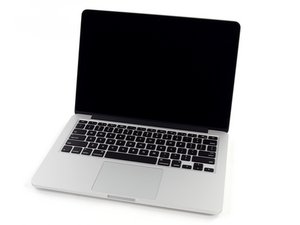
Model A1502 / 2.6 GHz (Turbo Boost up to 3.1 GHz) or 2.8 GHz (Turbo Boost up to 3.3 GHz) dual-core Intel Core i7 processor with 4MB shared L3 cache.

MacBook Pro 13' can't start, but fan is turning

Hi, This is my first question here!

I have a 13” MacBook Pro retina (A1502) for few years. Everything was fine until the past 2 weeks.

About 2 weeks ago, I got a strange situation where I couldn’t turn it on my systems for a while after it discharged completely. I plugged it into a MagSafe power adapter for a night and it normally started next day.

Today I got same issue but even fully charged it couldn’t start. I’ve tried some keyboard magic but reseting SMC (in every single way I found possible) nothing worked.

I bought P1 & 2 screwdriver and decided to open it up. The first wierd thing was the fan which was keeping turning at lowest speed. I disconnected the battery, fan stopped. I cleaned the Mac, and disconnected SSD.

I tried to power it on only on The MagSafe adapter, the fan started but nothing more happened. I put the system back together, tried some more combinations this time with PRAM. Nothing!

Any ideas where to find a solution? I must admit local service is the last on the list. I hope I can do it by my own.

Thanks for any answers

Answered! View the answer I have this problem too

Is this a good question?

Score 0
Add a comment

1 Answer

Chosen Solution

Try connecting the magsafe without battery and ssd, to rule out a possible ssd and logic board failure..the screen should light up with a question mark folder. If that doesn’t give the expected result it might be a screen or logic board failure. Reinstall the ssd and plug your thunderbolt to an external screen/tv..if that doesn’t work it’s a logic board issue for sure and you’ll need service or replacement. If it works it’s probably “just” a screen issue.

Was this answer helpful?

Score 3

2 Comments:

thank you for your answer. Nothing happens while ssd is unplugged, im gonna try the external screen option. Do you think HDMI should also work? becouse im not so sure about this solutions since caps lock does not respond.

by

Yes, sure, Hdmi would work too if the system boots somehow.

by

Add a comment

Add your answer

Dymitr Deskiewicz will be eternally grateful.
View Statistics:

Past 24 Hours: 0

Past 7 Days: 0

Past 30 Days: 2

All Time: 85