
Free Shipping on Domestic Orders $75+

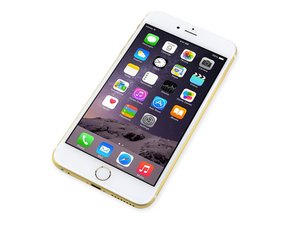
Repair information and guides for the iPhone 6 Plus that was released on September 19, 2014. Model: A1522, A1524

screen won't work after replacement

So I bought "Ifixit pro tech toolkit" & just for the sake of trying I tried to disconnect my screen and connect it back since it an easy thing to do , but when i connected it back it stayed off , I tried test if the phon is ON by calling & it ringed ...

i even tried to unplug & plug back the cables more than once but still : (

Answer this question I have this problem too

Is this a good question?

Score 0
Add a comment

1 Answer

Most Helpful Answer

Did you disconnect the battery before unplugging the screen?

Chances are the backlight filter may be blown. You may be lucky if the phone still shows display after replugging the battery cable.

If it's the backlight filter or circuit blown it would need to be repaired by someone that does micro-soldering.

For board level repair I recommend bringing it to a reputable repair shop to get it fixed.

To diagnose no backlight unplug battery and plug it back in then shine flashlight on screen right after turning on and see if you can see a apple logo but very dim in the middle.

Was this answer helpful?

Score 3

1 Comment:

I think I THINK .. I didn't unplug the battery the first time , but still I'm not sure ..

because I kept plugging & unplugging several times including the battery cable ,

but I'm not sure if i did it the first time ............... 8{

by

Add a comment

Add your answer

azam aldawish will be eternally grateful.
View Statistics:

Past 24 Hours: 0

Past 7 Days: 0

Past 30 Days: 2

All Time: 49