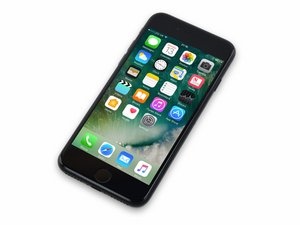

Released September 16, 2016. Model 1660, 1778 Available as GSM or CDMA / 32, 128 or 256 GB / Rose Gold, Gold, Silver, Black, and Jet Black.

Home Button Part Working after Screen Replacement

Hey All!

I hope someone can help me. I've been fixing iphones for years with no real issues for friends and family that is until now!

Ive just replaced an Iphone 7 LCD for the 1st time and I was incredibly careful transferring everything to the new display.

All looks great but the Home Button is behaving very oddly! There is no error so the phone is accepting it but for some reason it will only do half of what it should.

It won't wake the phone but it will accept a finger unlock if you switch the device on with the power button.

It won't return to home screen with a single press but it does accept double Taps to lower the screen down.

Its kind of like its not understanding the haptic feedback correctly even though it does appear to part function and the phone is accepting it.

Has anyone else faced this issue and does anyone know of a solutions. The replacement screen was one purchased by my friend from Ebay. (Its not OEM but appears to be very good quality.

Thanks in Advance

Answered! View the answer I have this problem too

Is this a good question?

Score 1
Add a comment

2 Answers

Chosen Solution

Only thing I can think of is the screen being defective, the home button extension cable is part of the screen assembly.

If the home button looks undamaged, that's probably the case then.

If you want you can try restoring the phone, make sure to backup the phone via iTunes before doing so as it will wipe all data on the phone.

Was this answer helpful?

Score 2

6 Comments:

Heya I officially feel like a fool! It turns out (As my friend took it to a shop) that I had accidentally mixed up 2 screws from the home button. The guy switched the 2 screws and full functionality is restored.

Thanks for responding I had thought much the same as you but on this occasion it was me.

Good warning for future amateur fixers apparently the order of screws makes a big difference... strange thing is I'm so careful i don't know how i would have switched them...

by

Yeah it is strange, glad it was a simple fix.

I'll note this down for when someone else has the same issue.

My guess is that the screw used for the home button is designed to be non conductive.

by

So bit strange. The phone came back appearing to be a ok then went mental after an hour. Same issue its like the home button sensor can't work out how much pressure there is on it.

My friend took it back to the shop who then claimed he needed an Official Apple Screen for £90 which seemed reasonable fitted and makes sense over some cheaper clone option.

Screen fitted and it worked great... for an hour... now were back to square one. The home button acts however it pleases and it is very very frustrating. If anyone has any advise at all it would be highly appreciated.

Kind Regards,

Brad

by

I have the same problem but changing screws doesnèt seem to fit it.What screws were changed

by

Wil be the four screws that hold the home button in place, the one in the back of the homebutton is slightly shorter.

by

Show 1 more comment

Add a comment

Don't Apple replace the Homebutton and screen as a whole unit?

I'd take it back to them and claim it was working fine before. May get a replacement phone free of charge!

Was this answer helpful?

Score 0

1 Comment:

Yes, apple replaces screen and home button as a whole unit which would eliminate this issue ultimately.

by

Add a comment

Add your answer

Bradley Sparkes will be eternally grateful.
View Statistics:

Past 24 Hours: 0

Past 7 Days: 1

Past 30 Days: 3

All Time: 811
