
Free Shipping on Domestic Orders $75+

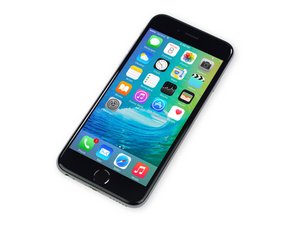
Repair information and guides for the iPhone 6S released by Apple on September 25, 2015. Models: A1688, A1633

iPhone stuck in Boot Loop only when plugged in to power outlet.

Hello everyone,

My iPhone 6s fell this past weekend and since then has been stuck in a boot loop (apple logo appears and disappears) whenever it is plugged in to an outlet.

Ultimately I'd like to pull the data out of my phone via iTunes backup, but the problem I'm facing is that my iPhone does not seem to boot up when plugged in to my PC's usb port.

Anyone have an idea how I can enact atleast a bootloop on a PC or get my turned off iPhone recognized in iTunes?

I tried finding answers via search, but nothing seems to touch on the issue of my iPhone not booting when plugged in to a usb port on the PC.

Thank you.

Answered! View the answer I have this problem too

Is this a good question?

Score 9
3 Comments

I had the same problem. It may be a software issue but most likely the battery connecter is loose. I went to a nearby phone service shop and he opened it up right in front of me, and the battery connecter had gone loose, just like a little lego.

by

So yeah my iphone SE 2020 also fall and it was working fine but when I came after some time it was not switching on and would only go to bootloop when it was plugged in so I opened it up and the reason was the battery connector came loose just pressed it a bit a it works completely fine now. Most probably it is usually a hardware issue so it's probably best to give it to a shop

by

Was Experiencing the same issue, Iphone would go into infinite boot loops when plugged in, while it would stay completely shut off as soon as disconnected.

Tried everything , including multiple attempts of Hard Reset, but IPhone wont escape boot loops.

Tried to put into the recovery mode and it didnt work.

Only option was to put it into DFU mode (check for your model), and thank God it worked and went into DFU mode. Once it's in DFU mode, do not use 3utools or Manual Hard reset to exit DFU mode, cuz it will start doing the same boot loops again.

My Only option to SAVE data was to use Tenorshare ReiBoot to download its firmware, restore using standard mode. If that didnt work, i would have to remove all data, reinstall firmware using either Itunes, or ReiBoot.

I decided to do it next day, & iphone was in DFU mode , but it's charging got drained overnight. When i plugged it in to charge, it was fixed. So battery draining while iphone was DFU mode helped restore it somehow.

by

Add a comment

8 Answers

Chosen Solution

Here are some things to try when you are faced with a boot-looping phone.

  • Try a hard reset (Home & Power button for 10 secs)
  • Use a genuine Apple Lightning connector
  • Use a genuine Apple charging brick and let it charge overnight
  • Try to connect it to different computers (mac/pc if possible) with an updated iTunes
  • Put the phone in recovery mode (search DFU Mode). Careful, this can reset your data
  • Use 3uTools for putting it in and out of Recovery Mode
  • Use 3uTools to flash the firmware (you can't downgrade)
  • Check the condition of all the flexes (with magnification)
  • Disconnect the Front Camera Ribbon from the logic board and reboot your phone
  • Disconnect the screen assembly completely and see if iTunes will recognize the phone.

Otherwise, you may have a logic board issue. If you are uncomfortable doing these steps, consider finding a repair shop to do the troubleshooting. A shop that also does micro-soldering can go deeper if the problem is not modular in nature.

Was this answer helpful?

Score 3
Add a comment


@jasrotia_1 did you ever find the solution, I have the same problem.

Was this answer helpful?

Score 1

3 Comments:

It some hardware issue. I gave to technician (not Apple Auth)

He replaced a chip . It was all fine thereafter

But exactly what chip he replaced I am not aware

by

This happened to me with an iPhone 13 mini (Dec-23-2025)…. It was 100% the battery connector for me. I had recently replaced the battery. The bracket that goes over it was a little loose because I didn’t catch the two bottom hooks to fasten it in properly when I replaced the battery. I reopened and found one of the hooks was bent. I bent it back into place with a small point of a pin 🧷 so I could properly hook the bracket that goes over the two connection ribbons. I also added a small very thin layer over the connections of small rectangular electric tape I cut. (Two layers) under the bracket to ensure a slightly more snug and absorbent impact of drops.

by

Hope to God this finds and helps some one and saves them the 4 hours it took me to diagnose and figure it out! 🙏🏻

by

Add a comment

One reason could be:

Loose battery connector.

Symptomes:

1.Cannot power on Iphone.

2.Bootloop when pluged to charge

Just needed to open iphone (tutorials on youtube be careful and be aware of loosing your guarantee), look for the position where the battery is pluged into mainboard. Due to some drops from small height the plug got loose. Firmly unplug the battery plug completely then replug it and give it a try. Close phone, happy.

Happened to both iphone 8 of my daughters.

Was this answer helpful?

Score 1

1 Comment:

This is what fixed my bro in laws iphone 8, just open a tutorial in i fix it on how to replace the battery but instead of replacing the battery just unplug the battery plug and plug it again firmly!

by

Add a comment

Hi everyone and thank you for the responses.

It turned out my phone had simply died and I ended up having to go with the hard reset in order for my phone to work again.

Was this answer helpful?

Score 0

2 Comments:

Can you explain how did the hard reset work for you? ive been stuck on this one

by

hello, how did you solve the problem?

by

Add a comment

Try force restart, press and hold power button and Home button at the same time about 10s until you see an Apple Logo then release it.

Was this answer helpful?

Score 0
Add a comment

I tried using 3U tool to restore my 6s from Recovery Mode. Screen with apple Logo Started flashing (@ 2-3sec per flash). On & OFF .. it is just going on. Nothing is working.

Status is also started showing “Not Connected”

When i remove the Lightening Cable from the phone, it just shuts Off Instantly.

Any Advice / suggestions ..

Regards

Was this answer helpful?

Score 0

5 Comments:

DFU recovery!!! search up videos on youtube

by

you may have to attempt it a few times. Ive seen reviews of people needing it upwards up 3 times before it works. It will erase ALL data, just make sure its backed up

by

@jasrotia_1 did you ever find the solution, I have the same problem.

by

exact same problem, has anyone found the fix?

by

Only putting device into DFU mode worked...Neither hard reset nor recovery mode worked. IPhone was stuck in inifnite boot loops while it was connected with usb, and stayed powered off when disconnected. Now using ReiBoot to use standard restore. Lets see

by

Add a comment

I litteraly have this same problem and its so stressful, my computer wont charge it at all & only turns on and goes into boot loop with wall charger

Was this answer helpful?

Score 0
Add a comment

sometimes this logo loop issue in iphone is due to harware problems.. for example now i have a phone that has the same problem and I tried to charge or update it using itunes but it gives error(9)… I heard from my friend that he had the same issue and told me it may be from a crash in charging module located inside the phone responsible to control lightening electrical parameters. I guess the previous owner of my phone has used non-standard chargers

Was this answer helpful?

Score 0
Add a comment

Add your answer

CGSK will be eternally grateful.
View Statistics:

Past 24 Hours: 27

Past 7 Days: 161

Past 30 Days: 758

All Time: 49,871