
Free Shipping on Domestic Orders $75+

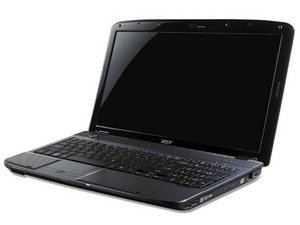
Repair guides and support for the laptop line of Acer's Aspire series for casual home and business use.

Won't connect to wifi

Hey, so I have an Acer Aspire E1-522 and I finially got running again after having it repaired twice and then not using for a few moths anyways i reset it to factory settings. Now it says no networks available even though I 100% positive there are, sometimes I don't get my own wifi in my room but I get my neighbours. Anyways I've tried to trouble shoot and got nothing I tried to to go into the devices and everything appeared to be working fine how do I fix it?

Answer this question I have this problem too

Is this a good question?

Score 0
Add a comment

1 Answer

Try this Emily:

1) Click the start button > In search bar, type ncpa.cpl and press Enter.

"Network Connections" will be opened.

2) Right-click on your "Wireless Network Adapter" > click Properties >

Select "Internet Protocol Version 4 (TCP/IPv4)" from the list > Click the "Properties"

buttion > Make sure "Obtain an IP address automatically" is selected and

"Obtain DNS server address automatically" is selected.

Click OK > OK.

3) If the problem still exists then check your SSID and the wireless password.

Was this answer helpful?

Score 0
Add a comment

Add your answer

Emily Nicole will be eternally grateful.
View Statistics:

Past 24 Hours: 1

Past 7 Days: 3

Past 30 Days: 9

All Time: 198