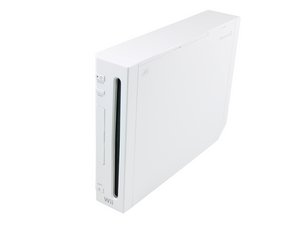

Released in North America in November 2006, the Wii was Nintendo's first home console to directly support Internet connectivity, supporting both online games and digital distribution of games and media applications through the Wii Shop Channel.

On startup, System files are corrupt

When starting my launch day Wii. I frequently get an error messages that the system files are corrupt. It is repeatable. I can usually restart the system 5 or 6 times and then it will start up normally.

Answered! View the answer I have this problem too

Is this a good question?

Score 1
Add a comment

4 Answers

Chosen Solution

If you have a SD card in the system, take it out and see if that fixes the issue. If not, when you actually get the system to pull up, try and do a system update using your internet connection and it could possibly rewrite the file that is corrupt in the system's firmware. If this still does not work, you will need to get the board repaired. Wii motherboards are about $40.00.

Was this answer helpful?

Score 0
Add a comment
Most Helpful Answer

This just happenened to me - with no mods and older Wii. I started in Maintenance Mode (holding down + and - on the Health and Safety screen). I then accessed the System data and noticed one if the Channels in system memory was labeled as a "?". I deleted this "channel" and was able to restart the Wii with no problems after powering down.

Was this answer helpful?

Score 1

1 Comment:

As a note to anyone with a modded wii, I entered using maintenance mode, loaded multimodmanager, and patched the loading ios for system firmware (ios80 for v4.3) and resolved the problem!

by

Add a comment

This just happened to me tonight. And I found myself to just holding down the + and - buttons on my remote every time I turn the system on, to get the system into it’s Maintenance Mode. And it works fine with my Wii games and GameCube games. (PS I know I’m a few years late to this post, but I just wanted to add my take into this.)

Was this answer helpful?

Score 1
Add a comment

I am unable to get to the maintenance mode its going straight into the main screen and then to the corrupt files screen then to blank. any help will be great

Was this answer helpful?

Score 0

3 Comments:

did you ever get a resolution? i have the same issue. Mine says system corrupt files once i turn on the Wii. I dont even see the health and safety warning or any menu screens. My remote will also not sync with the Wii (tried using new batteries on 2 different wii motes)

by

i'm having the same issue, could you solve it?

by

Very late reply but I recently was able to solve my corrupt system files issue after years of thinking my Wii was completely bricked. Would power on, the corrupt files message would appear but not even completely visible, the image would have visual glitches all over and was barely legible. I decided this weekend once and for all to either try and finally fix it or get rid of it.

I started it up and same old problem. But then I pulled the power out, plugged it back in, turned it on and immediately held down the reset button which I read somewhere could help. The system corrupt message came up again but this time there were no errors on the screen, it was completely readable for the first time in like 15 years, so that felt like progress.

I then held down power for 5 secs, let it rest for 10, turned it back on, and I got the main screen! It freezes to black screen when I press A, but I'm able to load in maintenance mode now and confirm that the mail brick is my problem, so on to next steps to try and fix that.

by

Add a comment

Add your answer

Steve will be eternally grateful.
View Statistics:

Past 24 Hours: 5

Past 7 Days: 20

Past 30 Days: 73

All Time: 26,653

