
Free Shipping on Domestic Orders $75+

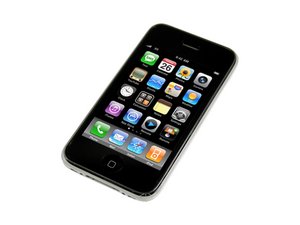
Revamped version of the iPhone 3G with faster processing speeds. Repair of this device is similar to the 3G, and requires simple screwdrivers and prying tools. Model A1303 / 8, 16 or 32 GB capacity / black or white plastic back.

Backlight is out

So I dropped my iphone the other day and it cracked the screen and I decided to fix it myself to see what it looked like inside and to save a few bucks. I got everything replaced (LCD and Digitizer) but the backlight wont turn on. I restored the phone, fiddled with the brightness and even took it apart again and tried to clean the parts that I messed with with alcohol. Anyone know what cable needs to be fiddled with to fix it.

---Note---

I tried to see what it would look like with my old LCD and the backlight is also out there.

Answer this question I have this problem too

Is this a good question?

Score -1
Add a comment

2 Answers

Most Helpful Answer

The LCD connects to the logic board directly, via a single cable - Cable #1. Most likely, the logic board was damaged by the drop as well, causing the issue you are experiencing.

Was this answer helpful?

Score 1

1 Comment:

well i hope thats not the case but when i dropped it and truned it on, the LCD backlight was still there so I dont think its damaged. how should I clean the connectors, people say toothbrushes but thats not helpful enough -_-

by

Add a comment

After installing ifixit's Front Panel Kit (glass and digitizer only), my backlight initially wasn't working.

The second time I removed and reinstalled the screen, I noticed a piece of dirt in the female (case back) part of the #1 connector, preventing it from seating fully.

Once the debris was removed and the screen reattached, the backlight was immediately functional.

Was this answer helpful?

Score 1
Add a comment

Add your answer

Tommy will be eternally grateful.
View Statistics:

Past 24 Hours: 1

Past 7 Days: 2

Past 30 Days: 6

All Time: 3,977