
Repair Guides
Learn how to fix just about anything with our step-by-step guides.
App
Your pocket repair helper.
FixBot
The friendly AI repair assistant.
Repairability
Learn why fixable products make sense.
Teardowns
Get a sneak peek inside the latest gadgets.
Answers Forum
Share solutions and get help from a friend.
Find Your Community
Find teams, events, and fellow fixers.
Help Out
Help make repair knowledge free and accessible for everyone.
Right to Repair
Learn about the Right to Repair movement and how to be an advocate.
Featured
Quality parts and tools backed by our lifetime guarantee.
Tools
Shop our wide selection of precision tools.
Parts
Shop parts backed by our quality guarantee.
iPhone Batteries
Batteries tested and guaranteed plus a kit with everything you need.
Free Shipping on Domestic Orders $75+
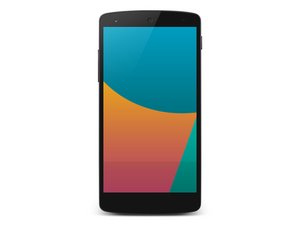
The fifth Google Nexus phone. Officially announced on October 31, 2013, it sports a 4.95" 1080p display, a 2.26 GHz Snapdragon processor, and LTE support. Powered by Android 4.4.2, KITKAT. Manufactured by LG.
Steven Weinstein @stevenweinstein
Rep: 1
Posted: Jun 9, 2014
Replaced my screen on my Nexus 5 and now my proximity sensor thinks it is covered all the time. Thanks for the help.
Is this a good question?
3 Comments:
There's a blue tint that's where the proximity sensor is. Take something abrasive, but not too abrasive, and remove the tint. That's how I fixed mine.
Jul 22, 2014 by David Trimble
What exactly did you use as an abrasive? I think i have the same problem
Aug 1, 2014 by phil
I used the tip of a small screw driver to carefully scratch the blue tint away.
Aug 9, 2014 by phil
Past 24 Hours: 0
Past 7 Days: 0
Past 30 Days: 0
All Time: 1,892
There's a blue tint that's where the proximity sensor is. Take something abrasive, but not too abrasive, and remove the tint. That's how I fixed mine.
by David Trimble
What exactly did you use as an abrasive? I think i have the same problem
by phil
I used the tip of a small screw driver to carefully scratch the blue tint away.
by phil