Click Image To Zoom
Installation Guide
iPhone 3GS
Difficulty: Moderate
Install Time: 15 Minutes
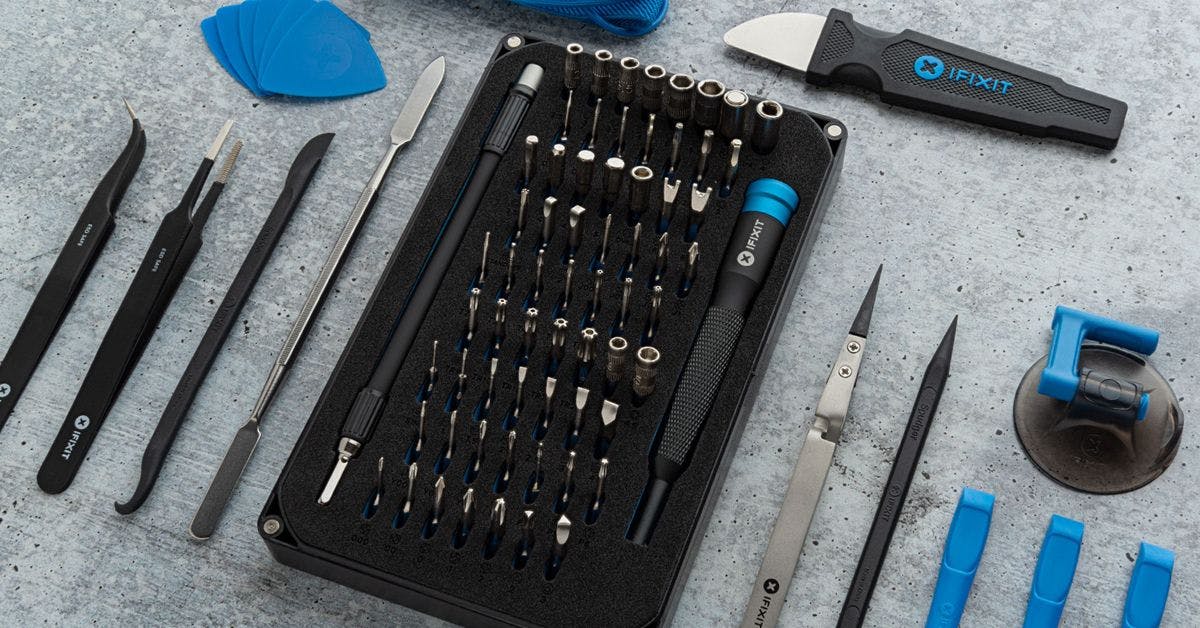
Required Tools Add All Tools to Cart »
Spudger
$2.95 ·Add to Cart »
Small suction cup
$2.95 ·Add to Cart »
Share this Product
Stories
My Problem
I dropped my Iphone 3GS and shattered the screen.
I was not eligible for a free replacement so I bought a new screen from Ifixit.
My Fix
The repair went great! I never had an Iphone or any phone apart before. I followed the directions and it took me less than 5 minutes to install the new screen.
This new screen seems to work better than my old one. it is more sensitive.
My Advice
Make sure the ribbon connectors are lined up correctly before trying to snap them in place. Do not try to force them on!
My Problem
The backlight on the 3GS was dead, and we have to make it to November before we are eligible for the phone upgrade, so we ordered the display assembly and followed the instructions.
My Fix
Mostly just like the repair guide shows. One issue and recommendation.
My Advice
The #3 tab is very small and difficult to discern. There is a black band across the top of the cable, that is NOT the piece you are supposed to lift 90 degrees. In front of that bridle is the tab that you GENTLY lift to release the cable. Ours was white.
For older eyes, use your digital camera in close up or macro mode and take a picture of the area before you try to release the #3 cable. Zoom in on the picture and you can see the mechanism much more clearly.
Inserting the tab on reassembly takes some dexterity, but eventually the cable will slip into the slot, and then just be sure the cable is fully pushed forward before pushing the locking tab back down.
My Problem
Mon iPhone 3gs présentait des défaillances multiples: écran rayé, bouton home bancale, plus d'oreillette interne.
My Fix
Commande simple, instruction de montage claire, réception rapide.
Je suis très content.
My Advice
Réparation à ma portée, technique et financière.
Pas de soucis.
My Problem
iPhone 3GS display was obliterated due to a nasty fall...I guess my daughter felt the need to not keep her case on :(
My Fix
Flawless....iFi
My Advice
Had to re-use the ear phone cable from original display (#3 ribbon cable that goes into the "flip-up" connector) because the replacement that came with the display adapter didn't seat properly into the "flip-up" connector (no audio after replacement).
My Problem
Home button wasn't working
My Fix
My middle daughter with a little help installed the front assembly.
My Advice
Little more detail about how the plugs join together.
My Problem
Because the old on broke.
My Fix
Very good.
My Advice
No, every thing went fine.
My Problem
iPhone had white screen of death
My Fix
Repair took only a matter of minutes, since I already had the iFixit repair kit, and bought the suggested suction cup, it was easy as pie to remove the old display assembly and install the new one
My Advice
Suction cup was definitely required for opening the case
My Problem
During the call phone buzzes (noise like when you telephone near speakers)
Home button was getting more and more 'stubborn'
Plus about half a year ago it fell down and glass was broken near home button. And all the scratches started to annoy a bit
My Fix
First of all I should say that this was new experience for me, but I like to do things where you need accuracy and handiness, so I thought to give a try (it would be too expensive to get service and you'll never know what you'll get back /in my country/)
I got all front assembly with lcd instead of glass and panel with speaker and button. Well if you have 30$ more and less time and dont want to be worried about dust on LCD, you should do the same. (For me there was no option because panel was out of stock - what a ** was when after ordering, next day I got email about new stockings! But you may not be interested in my long ordering story and how everything shipped to me over the ocean and how my friend during the flight was keeping assembly in her pocket and not being worried about all the cables..!)
So I watched a video (both to be exact) how to change parts, read many comments how disappointing dock changing might be and so many functions wont work. You should carefully watch too and read the manual CAREFULLY, every single word even its only about two screws. Its a start to success.
Opening front panel went well but I managed somehow to open it to wide and cables slipt off. Its better not to do it again. Then all the screws and getting everything from back panel was quite fast and without accidents. Advice: after opening, stop for a moment and stare a bit, because your phone in real wont be the same as in picture and small details make big difference and its important to notice them - otherwise getting parts back will be harder especially if youre doing it for a first time. Next advice from me about the dock is that when you put the new dock, dont forget that screw holes must be ON the silver bezel holes but NOT UNDER, cause its goes well and fits under but its not a place and getting dock out is muck harder than you think. (my second mistake)
Be careful with camera! Dust gets easy onto panel.
Talking about display I can tell a bit of a joke. I wrote in the beginning that I hadnt chance to disconnect cables and in the dock repairing manual didnt notice that all THREE cables must be connected so i did only two (nr 1 and 2) but not that tiny one which had to go under a plate (where you have to be VERY CAREFUL). Guess what? I closed everything, turned the phone on, enjoyed perfect results and posted self promoting FB update and only then realised that i forgot that cable! But everything was working! What it does? I guess something with sound, but i turn off many sounds so didint notice.
And silver bezel started to fit badly - did some glueing. This was because of slightly broken corner i guess.
So thats my story :)
My Advice
Many written before, but one more:
original dock on contacts had some tape on it, so i asked dad to give me some and put pieces too. The same with home button. It looks more hermetic for me - if youd look in light youll see some space between dock connection and panel - cool way for dust to get in.
Wish you good luck as it happened to me - even working without all parts connected :)
My Problem
I've multiple problems with my iphone. The first is that one of the bottom corner of the LCD screen did not work. The second one is that each day, my device shut down at one moment who's imprevisible.
My Fix
I follow the two step by step video about battery and display assembly.
My Advice
It was verry easy to do.
My Problem
My one year old daughter bit my wife's iPhone 3GS. This cause a crack in the glass and also caused damage to the LCD underneath. What started out as a single dead pixel, multiplied like a zombie infestation into a patch of dead pixels the size of a quarter before the entire right side of the screen died and the speaker stopped working.
My Fix
Repair was great! Took about 10 to 15 minutes, which considering this was my first attempt at any type of electronic repair I think is pretty good and speaks to the quality of your guides. I did have to hook it in twice as I missed one of the connections the first time around. But once I took a closer look at the pictures in the guide, I saw my mistake and was able to quickly correct it. Powered up and works and looks perfect.
My Advice
Don't let a 1 year old bite your iPhone.
Related Questions
| 1 Answer 0 Score | Which part do I need? | |
| 1 Answer 0 Score | Recommended parts to repair off switch, silent switch & home button? |
| 2 Answers 1 Score | Wet iPhone | |
| 3 Answers 0 Score | Found cracked 3GS - Is it dead? | |
| 1 Answer 0 Score | How do I fix a black screen and keys are unresponsive? | |