Introduction
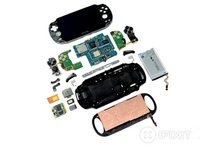
We don't break gadgets—we rip them apart with style. We tear them down, if you will. Today we put our spudgers up against Sony's PS Vita, the newest addition to their portable platform family. Join us as we go motherboard deep into Sony's newest device, and when we're done be sure to follow @ifixit on Twitter to stay up to date with the latest and greatest teardowns.
What you need
-
-
Here it is, the Sony PS Vita. Sure it looks similar to the good ol' PSPs, but it packs a handful of cool new features:
-
4 Core ARM Cortex-A9 MPCore Processor
-
4 Core SGX543MP4+ GPU
-
512 MB RAM + 128 MB VRAM
-
5" OLED Touchscreen running 24-bit color, 960 x 544 pixel qHD display and rear capacitive multi-touch pad
-
Front and Rear 0.3 MP VGA cameras
-
Two analog joysticks
-
-
-
The front holds the usual diamond of shape-coded buttons, a D-Pad, and two analog sticks. If that's not enough for you, don't forget the two bumper buttons, the three smaller buttons parked just below the analog sticks and, of course, the touchscreen.
-
The bottom side of the PS Vita is left relatively bare and is occupied by the charging port, headphone jack, and the memory card door.
-
The top of the PS Vita is adorned with the volume button, power button, game card slot, and an accessory slot.
-
-
-
When we turn the Vita over, we are instantly thrilled to see a secret code!
-
It appears to be a cheat code. We postulate that pressing all of the action buttons in order, starting with the triangle and rotating clockwise -- roughly 410 times -- will give you unlimited lives, moneys, manas, likes, whatever!
-
Apparently the hidden cheat code does more than make your team in NFL Blitz 12 into a pack of running hotdogs. For the first time, this handheld device actually has a rear capacitive multi-touch pad. Curious how it could be used? Check out this demonstration!
-
Above the rear touchpad lies the first camera ever seen in a handheld PlayStation device.
-
-
-
It's time to play "Which card will work in my PS Vita?"! We'll give you a hint: it's the one labeled "Sony PS Vita."
-
Don't be fooled by the size and shape of the PS Vita's memory card. While it looks similar to the microSD cards surrounding it, there is no cross compatibility. That's right, if you want more memory, you've got to buy Sony's proprietary cards.
-
The same rule applies to the game cards. They look similar to SD cards, but the pinouts and shape differ in such a way that makes cross-compatibility impossible. Sorry hackers.
-
-
-
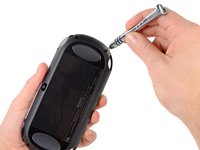
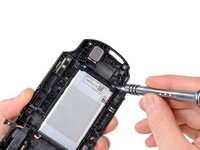
The battery is secured to the back case with a pair of Phillips #00 screws and... well that's it. There's no adhesive!
-
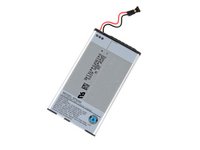
The Vita's battery runs at a standard 3.7 V and packs an impressive 2210 mAh punch.
-
We're confident that between the Wi-Fi, Bluetooth, 3G, 5" qHD display and two touch pads, every bit of capacity in the battery will be put to good use.
-
-
-
-
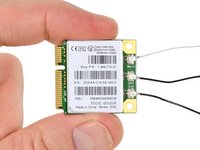
With surgical-like precision and care, we remove the EMI shields from the wireless card to reveal:
-
Qualcomm PM8028 power management
-
Avago ACPM-7868 linear quad-band power amplifier module
-
Epcos 7964 SAW duplexer
-
Avago ACPM-5001 CDMA band 1 power amplifier module
-
Avago ACPM-5002 CDMA band 2 power amplifier module
-
Avago ACPM-5005 CDMA band 5 power amplifier module
-
Avago ACPM-5008 CDMA band 8 power amplifier module
-
-
-
Turning our attention to the backside of the wireless card we find:
-
Qualcomm MDM6200, which supports HSPA+ speeds of up to 14.4 Mbps
-
Toshiba TY890A111222KA Mobile SDR SDRAM
-
Sony CXM3555ER antenna switch module
-
-
-
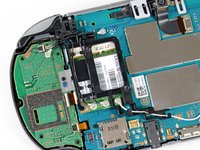
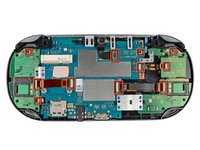
The PS Vita is very modular. Check out all these connectors!
-
Having all the components on a single ribbon cable or PCB makes repair both difficult and costly. With all these individual components, the Vita should be easy to repair.
-
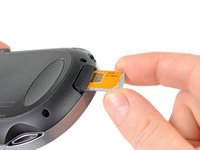
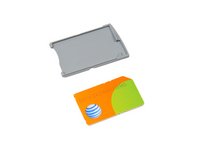
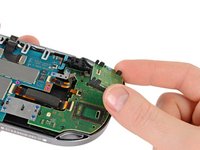
We detach a few connectors and remove the SIM card board from the colorful innards of the device.
-
-
-
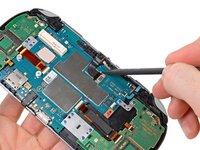
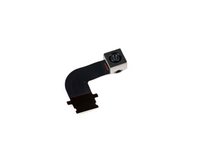
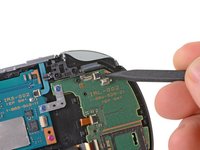
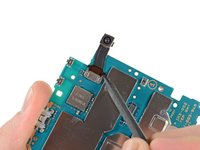
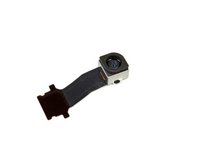
Recruiting the help of our spudger, we remove the rear-facing camera.
-
Though the Vita is the first Sony handheld device to boast a camera, you shouldn't cancel your D800 pre-order quite yet. The 640x480 pixel VGA quality (0.3 MP) camera isn't likely to wow the folks browsing your Flickr stream.
-
On a related note, the camera is of perfect quality to turn your world into an Augmented Reality.
-
-
-
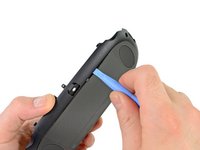
After a fair amount of disassembly, we find our old nemesis: adhesive!
-
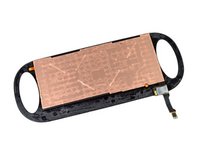
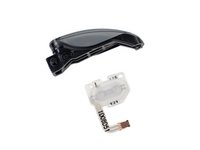
We easily win the battle against the evil glue with our trusty plastic opening tool and separate the rear multi-touch pad from its frame.
-
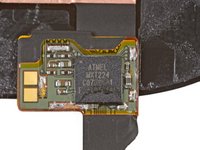
Attached to the rear touchpad, we find an Atmel mXT224 touchscreen controller.
-
-
-
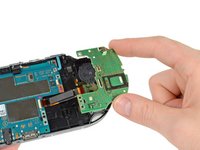
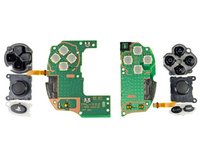
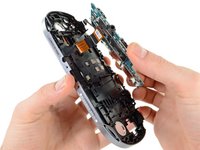
Once the back case is off, components start flying out of the PS Vita faster than you can say "PlayStation."
-
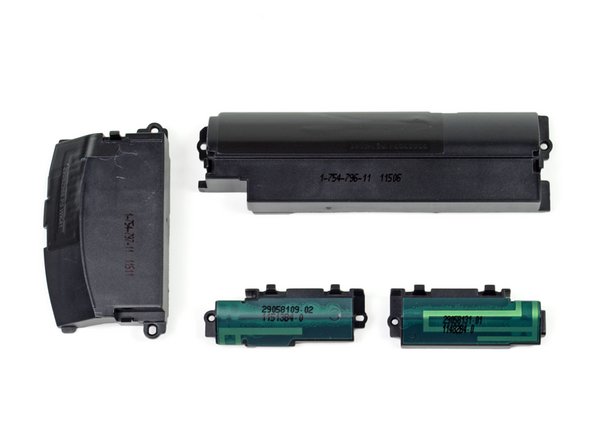
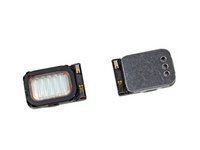
The speakers come out without much fuss thanks in part to their pressure contacts. These types of connections are common in devices where space is a concern and there's no room for routing and soldering speaker wires.
-
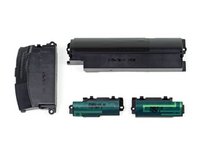
With many modes of connectivity comes a whole bundle of antennas. Head-to-head gaming sure has come a long way.
-
-
-
As we begin removing the screws for the motherboard, it slowly dawns on us...
-
Colored screws! The pink-ish screws hold the motherboard in place while the blue screws hold attachments to the motherboard.
-
It's like a boy/girl screw party!
-
When we were done ogling the colored screws, we lifted the motherboard up and away, detaching the OLED display and touchscreen connectors.
-
-
-
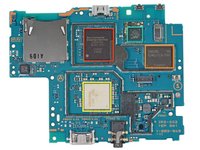
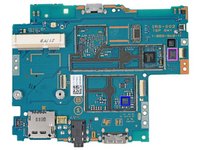
With the motherboard finally all by itself, we can begin chip identification:
-
Sony CXD5315GG quad-core processor + system memory
-
Samsung KLM4G1FE3A-F001 NAND flash memory
-
Fujitsu MB44C026A
-
Marvell 88W878S-BKB2 Avastar WLAN/Bluetooth/FM Single-Chip SoC
-
Wolfson Micro WM1803E audio codec
-
STMicroelectronics 3GA51H gyroscope
-
Kionix KXTC9 three-axis MEMS accelerometer
-
-
Tool used on this step:iFixit Opening Picks (Set of 6)$4.99
-
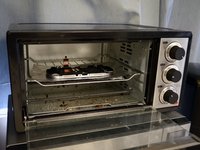
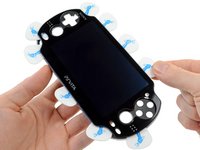
We baked our Vita in order to separate the front plastic (and fused OLED display) from the frame. Our quick recipe for frame removal:
-
Pre-heat oven to 200 F.
-
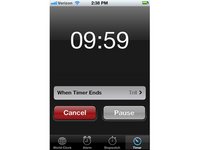
Place PS Vita front panel assembly in the oven and set timer for 10 minutes.
-
Remove the PS Vita from the oven and carefully peel the plastic off the front case using several guitar picks. Watch out -- it's hot!
-
Take 10 points back from Gryffindor.
-
Baking electronics: much easier than baking bread. All the ingredients are pre-mixed!
-
-
-
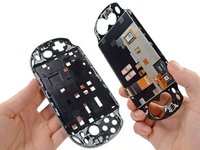
The front plastic and OLED display slowly came off from the frame. Note that the OLED display is fused to the plastic, making this procedure very precarious.
-
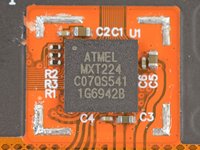
Underneath we find another Atmel mXT224 touchscreen controller, which has graced tons of teardown devices in the past, including this one!
-
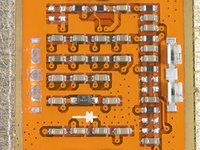
We also found a grid of what appears to be a smörgåsbord of capacitors, resistors (and one lonely diode) under the frame. Interesting...
-
-
-
After much deliberation, the council of iFixit has deemed appropriate a reparability score of 8 out of 10.
-
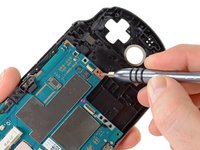
All screws are standard Phillips #00. No security or proprietary bits here.
-
Modular design means lower repair costs because small parts can be replaced individually.
-
Only one component was held in place with adhesive: the rear touch panel.
-
Battery is not easily accessible, but it is definitely serviceable by the average user armed with the appropriate screwdriver.
-
The front plastic is fused to the OLED (and difficult to separate from the frame), making replacement of the display more expensive.
-





































31 Guide Comments
where do you get one of the wireless cards
can someone tell where is the sixaxis motion sensor located?
It's the gyroscope it is on the mother board