Click Image To Zoom
Installation Guide
MacBook Unibody Model A1342
Difficulty: Moderate
Share this Product
Stories
My Problem
À cause d'un dysfonctionneme
Étant un étudiant fauché, et dégouté du Système Apple qui pour vous mettre en relation avec le S.A.V. vous demande de régler la somme de 45 euros sans que quelque réparation ne soit garantie, j'ai décidé de me lancer, et de réparer moi-même ma machine.
My Fix
J'habite dans l'ouest de la France. Le colis est arrivé deux jours après la commande, en étant passé par FedEx.
La réparation a duré 20 minutes. Une quinzaine de vis à dévisser avec la plus grande facilité, mais aussi avec la plus grande minutie. J'ai profité de l'ouverture de mon Macbook pour le nettoyer à l'aide d'un petit compresseur.
Après remontage, il est nécessaire de réinitialiser le SMC (opération très simple expliquée sur le site d'Apple, cela permet de réinitialiser le gestionnaire de la batterie)
My Advice
À votre commande, vous devez penser qu'à la livraison (en France) des frais de douane peuvent surgir. Pour une commande de 175$ environ j'ai eu à régler à la livraison 40 €, ce qui nous ramène en convertissant le tout à 180€. Cela reste néanmoins en dessous des tarifs pratiqués par Apple pour une opération identique.
Quelques conseils de base : travaillez dans le calme, à la lumière, sur une surface plane et prévoyez de petits récipients pour ne pas perdre les vis (bols, assiettes et autres). Faites très attention à ne pas abimer les têtes de vis Phillips en les dévissant car elles se sont révélées facilement endommageables. Avec un minimum d'organisation, cette opération de changement de batterie se révèle facile même pour un novice, car il ne s'agit au final que d'une quinzaine de vis à démonter.
My Problem
I had two problems: spilled water in my keyboard, and my battery was old.
My Fix
First I bought a new uppercase, a new battery and tools. The package arrived in Brazil very fast.
I followed the tutorial with only one problem: I broke the battery indicator plug. Fortunately, there was a new entire cable in the new uppercase, so that was not a big deal.
My Advice
Be patient ;)
My Problem
We have about 800 Mac Book laptops for teachers and students and we receive everything from broken screens, bad batteries, to faulty hard drives, along with many cracked cases next to power source which effects the charging of the laptops. With these issues we find ourselfs repairing a wide range of issues.
My Fix
The repair process went well with no issue we were unable to repair. Parts from ifixit have fit our requirements and we had no issues with the parts. The information ifixit provides allows end users to do the repairs.
My Advice
With many repairs you find ways to better the process. Continue to find ways to improve the process as you repair the same issues. Ifixit provides enough documentation and videos to assist in the repairs.
My Problem
My battery, which I had for 2 and 3/4 years was down to about 50% of its original life. The erratic behaviour of the battery suggested that it was defective. Not having purchased Apple Care, I wanted to fix the problem myself.
My Fix
Went smooth as butter. I'm a seasoned computer repair guy (for family, friends, and my own amusement). I also upgraded my Macbook's ram not that long ago, so I was familier with the internals. The battery itself installed perfectly. It took maybe 15 minutes to do the job, not including the time I spent cleaning the inside of the machine - getting rid of unwanted dust and dirt. I'm not a big fan of the Macbook Unibody's non-slip bottom, as the rubber edging is prone to coming loose; I've had to tape/glue it a couple of times already.
My Advice
I can't think of anything too important. Just make sure you have a small dish (that doesn't tip over easily) for each type of screw or part. Also, make sure you work on a surface that's not too low, as longer jobs while bending over (especially for a tall person like myself) can anger your lower back.
My Problem
MacBook would randomly shutdown even when connected to power and battery life was extremely poor. Battery reported that it needed service.
My Fix
The repair went smoothly and only took a few minutes. MacBook worked without a hitch for a week but now it sometimes won't recognize that the power is connected and therefore wont charge the battery. When this happens I have to shutdown the MacBook, open it up again, disconnect the battery and reconnect it. MacBook will then be fine for a day or so but then the same problem.
My Advice
Need advice. I replaced the 60Wh battery with the 63.5Wh which iFixit says is OK. The serial number on the new battery is different to that reported in System Profiler (there was no discrepancy with the old battery). Is his normal? Could the new battery be faulty?
My Problem
After 2-3 yrs the macbook battery is useless weight. You think that installing a new battery would be a snap. Apple has other ideas.
My Fix
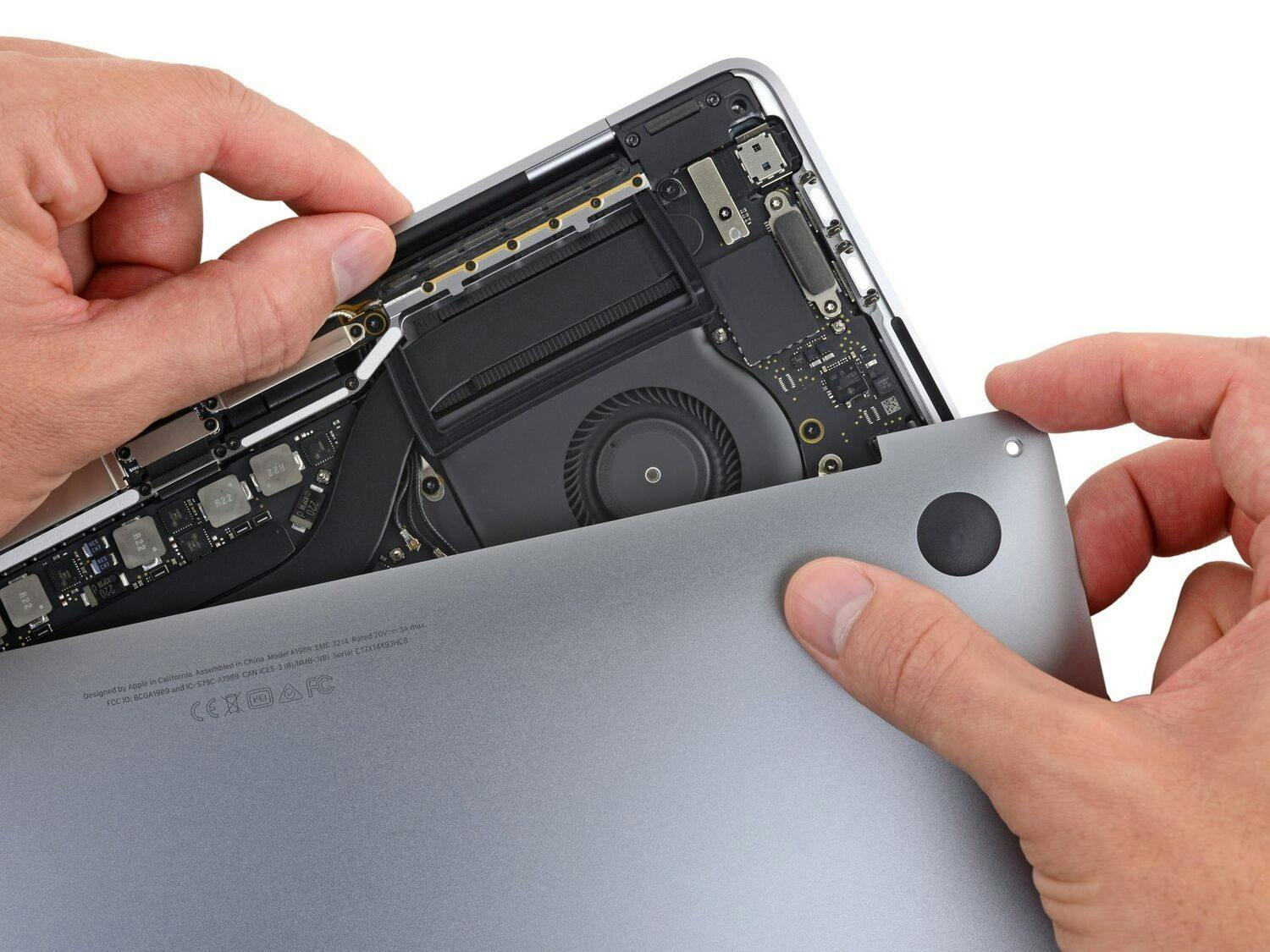
The guide here at i-fixit was excellent and the repair went well until it got to the actual battery removal. There are 3 (three) Y-shaped screws holding the internal side of the battery and 3(three) tiny BLACK screws holding the external facing edge of the battery. These 6 screws have been treated with a thread glue like loctite. They are a witch to get loose. You will need extra leverage and lots of pressure to avoid stripping the head of the screws. After that it will take you less than 4 minutes to install the battery replace the outer case and boot up.
My Advice
The Y shaped screwdriver will make this a 5 minute repair. Soak the loctite coated screws in denatured alcohol and gently brush off the thread coating if you want. Be careful to keep the screws on a surface that contains them. They are tiny.