
Click Image To Zoom


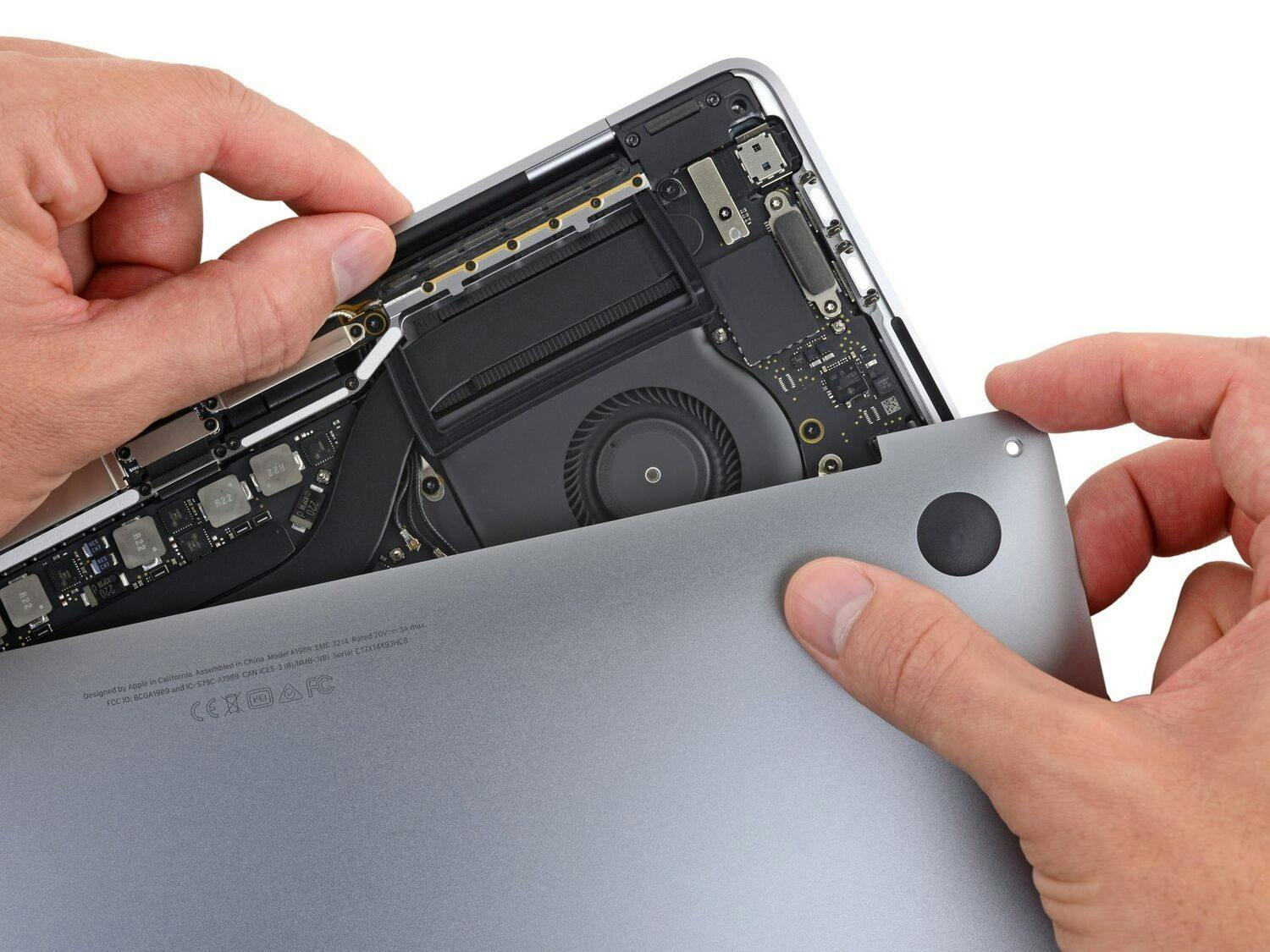
MacBook Pro 15" (Model A1226) Right Fan

$49.95

Product code: IF185-077-1
Apple Part #: 922-8043

Product Overview

The 15" MacBook Pro (Model A1226) was the first laptop to integrate a centrifugal fan (a.k.a. squirrel-care fan) that did not employ true squirrel-power. We know how this makes some of you feel. However, transitioning to a 5 Volt, 0.29 Amp electrical current drastically reduces laptop shedding, bushy keyboards, and chattery upper cases. While sacrificing the companionship possible with previous generation MacBook Pros, upgrading the fan also means your MacBook Pro requires hardly any cleaning and fewer walks. Make your MacBook Pro that much cooler with this new fan today.

Fan includes surrounding metal bracket.

NOTE: This is a replacement for the right fan, but we sell the left one too. The right fan is the fan nearest the optical drive. This part is only compatible with the MacBook Pro 15" (Model A1226).

Compatibility

Identify your Mac

  • 2.2, 2.4 or 2.6 GHz (Model A1226) 15" MacBook Pros

Product Details

  $49.95 New


Condition:

New

Warranty:

6 month warranty

Add to Cart »

30 Available

Quantity:


Compatibility

MacBook Pro 15" Core 2 Duo Models A1226 and A1260
2.2 GHz (Santa Rosa)
2.4 GHz (Santa Rosa)
2.6 GHz (Santa Rosa)
 

Stories

My Problem

Somehow, my MacBook Pro got squeezed in my briefcase and began to get hot and the fan was making an awful racket. I let everything cool off before opening the case. I'm not ready to part with this old Mac, so I ordered the fan, installed it with the help of the great wizards at ifixit.

My Fix

She's purring like a happy kitten now!

My Advice

Don't let someone else put your laptop in their overstuffed briefcase!

My Problem

Noisy fan.

My Fix

OK

My Advice

Be careful.

My Problem

Snce a couple of weeks the right fan of my mbp made a horrible noise

My Fix

Thanks to the great step by step guide from iFixit the repair was a piece of cake!

My Advice

Just follow the steps and use the correct tools

My Problem

Voila des semaines que mon ordinateur était malade et moi même triste pour mon ami. Je suis musicien et mon fidèle compagnon enregistre les musiques que je joue à côté de lui.... Les ronflements d'un de ses deux ventilateurs devenaient insupportables sur les enregistrements et j'avais peur que la fièvre ne tue mon ami. Conduire mon ami chez un chirurgien de la ventilation étant hors de prix j'ai décidé d'opérer moi même.

My Fix

J'ai installé mon ami sur la grande table basse de mon salon . Totalement désinfectée de tout objet parasite...

Je me suis équipé des instruments chirurgicaux conseillés par et achetés sur IFIX, j'ai disposé un second ordinateur portable avec le mode opératoire en ligne sur le visuel étape par étape de l'opération " changement de ventilateur " J'ai posé "la greffe"du ventilateur de rechange à porté de main , le tableau magnétique avec les cases pour poser les vis et en noter l'ordre. J'ai profité du bon éclairage du soleil ... j'ai opéré pendant environ 1 heure.

L'opération à été un succés.

My Advice

Suivre le mode opératoire en ligne avec un deuxième ordinateur (en WIFI par ex.) étape par étape .

Le tapis magnétique avec les cases et noter au stylo le n° d''ordre des vis est très important pour se rassurer et être sur de ne rien perdre et de tout remonter.

Profiter pour bien dépoussiérer l'intérieur avec une bombe à air comprimée .

My Problem

Noisy fan(s).

My Fix

Very smoothly, I did it with my 10 year old, he enjoyed the experience. I let him remove and replace screws.

My Advice

I made sure I taped the screws as I took them out to a piece of paper where I wrote the step number. The instructions were very clear, however connecting the tiny harnesses required the use of a strong flashlight to illuminate the connection point and then use a lot of caution in snapping and/or sliding the connections together. The process to replace both fans took 90 minutes allowing time for a teaching experience for my son. He now has an idea what is inside a laptop. Well worth it !

My Problem

After watching a 2 hour live stream one of the fans started to make an awful noise. I shut the laptop down and restarted it a short time later and the fan was still noisy. The next morning the fan was sounding normal but after working on some image the noise came back and I knew it was repair time.

My Fix

I ordered the replacement fan through iFixit and had it the next day. I'm fortunate to live near enough from their shipping warehouse for Priority Mail Service to do that.

I used the online guides to do the repair and I had not problems except for when replacing the upper case I forgot to connect the mouse/keyboard ribbon cable. Otherwise all went well and almost two weeks later everything is working well.

My Advice

I actually printed out the pdf for reference as I performed the steps. When i removed the screws I would tape them to the respective steps section. This made it very easy when putting everything back together.

My Problem

My right side fan was making a loud and annoying noise.

My Fix

Went well. The instructions to replace the fan were basically the same as the instructions to replace the harddrive which I had already done several months ago. I also had the iFixit tool set which makes it easier because I had the correct tools. When I opened the MBP I found that the fan was loose so I tightened it. However, the fan still made noise so I opened the MPB again and replaced it and now it is quiet. It took about 15 minutes to open the MBP and do the replacement and close it back up again. Easy to do but there are a lot of screws to manage.

My Advice

Make sure you have the right tools. You need a very small torx wrench and smal philips screwdriver. Set up separate places to put the different screws so that they don't get lost or mixed up.

My Problem

Right fan screechy, then broked. Laptop got too hot and she shutdown when seeing netflix flics. Sucks

My Fix

Five star rating for parts and instructions. Congrats!

Kudos to whoever did the instructions.

My Advice

Be kind and loving to your wife and children

My Problem

The right fan was noisy.

My Fix

Easy.

My Advice

Black crews on the fan are for the fan, not for the fan to be connected to the laptop. Don't remove the black screws. Read the guides!

My Problem

High heat

My Fix

With your direction the replacement was easy and quick.

My Advice

Keep up the good work.


Related Questions

1 Answer

0 Score

Left & Right Fan

  •  

1 Answer

1 Score

Right fan not working (0rpm)?