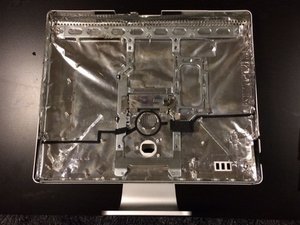
Access Door

|
17 Answers 12 Score |
Random Black screen, Help please |
|
9 Answers 4 Score |
Core Duo CPU upgrade to Core 2 Duo CPU? |
|
6 Answers 9 Score |
How can I tell if my iMac logic board is dead |
|
9 Answers 2 Score |
Why are there artifacts in my monitor? |
These are some common tools used to work on this device. You might not need every tool for every procedure.
2 GHz (EMC 2105 iMac4,1), 2.16 GHz (EMC 2118 iMac5,1), 2.33 GHz (EMC 2118 iMac5,1)
There are no troubleshooting guides for the iMac Intel 20" EMC 2105 and 2118 at this time.
You can cost-effectively upgrade a number of components in the iMac Intel 20" EMC 2105 and 2118.
You can verify that you have a iMac Intel 20" EMC 2105 and 2118 by checking the processor information through "About This Mac" in the Apple menu.
Use the iMac identification system to help you identify your machine. iMacs tend to look very similar, and it's important to know which machine you have before ordering any replacement parts.
The first Intel based iMacs were released early 2006 and were the first Macintosh computers powered by an Intel processor, the Core Duo. Although they use the same case as the prior powerpc G5 iMac, the Core Duo iMacs were two to three times faster than powerpc iMacs.
Late 2006 brought the Intel Core 2 Duo processor and draft-n wireless capabilities to the 20" Intel iMac. The plastic case iMacs of this generation are the most difficult iMacs to service due to their front bezel design.
Past 24 Hours: 5
Past 7 Days: 47
Past 30 Days: 204
All Time: 421,296