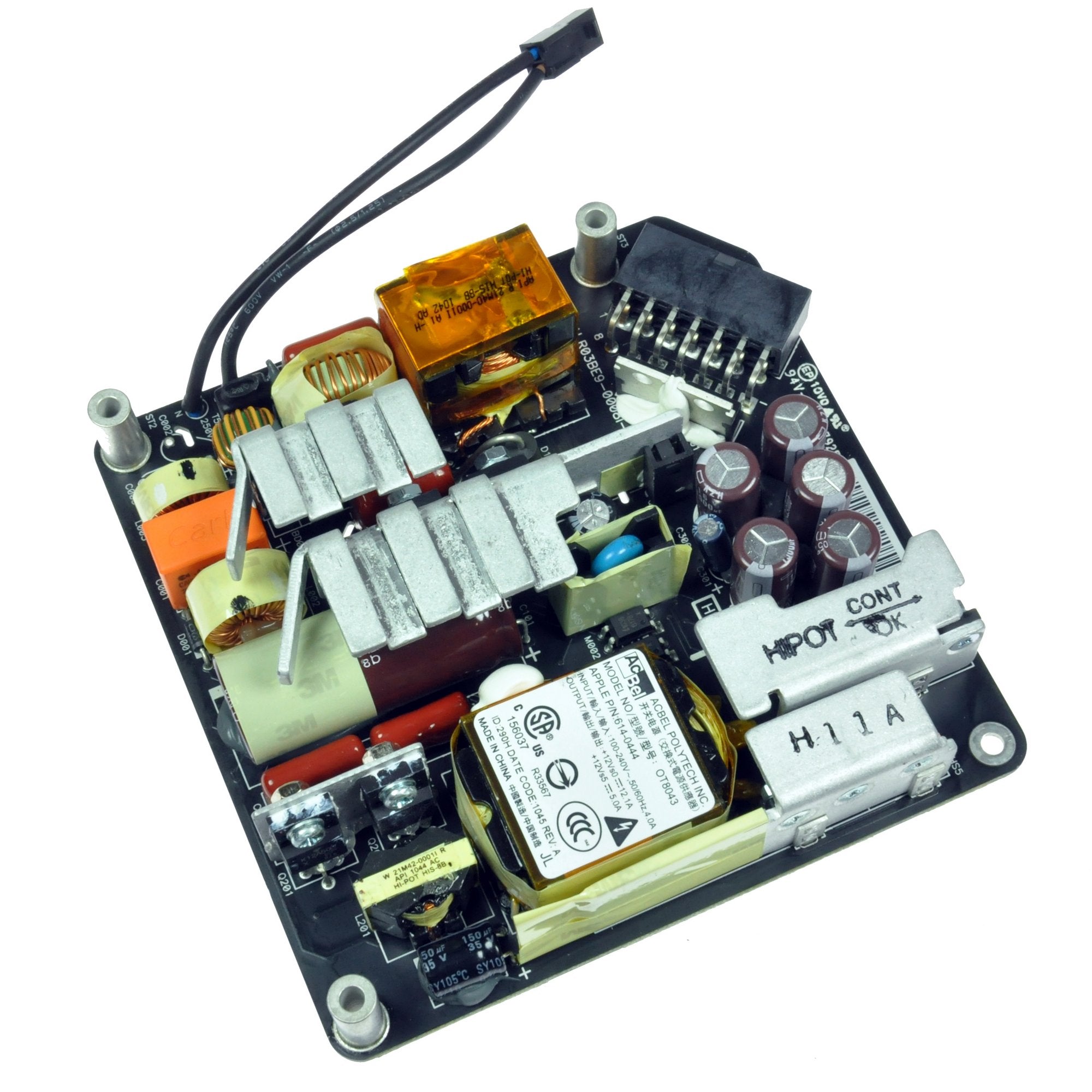
Click Image To Zoom


iMac Intel 21.5" Power Supply

$129.95

Product code: IF173-000-1
Apple Part #: 661-5299

Compatibility

Identify your Mac

  • 21.5" iMacs EMC 2308, EMC 2389, and EMC 2428

Product Details

  $129.95


Condition:

New

Warranty:

6 month warranty

Add to Cart »

3 Available

Quantity:


Installation Guides

iMac Intel 21.5" EMC 2308

Difficulty: Moderate

iMac Intel 21.5" EMC 2389

Difficulty: Moderate

iMac Intel 21.5" EMC 2428

Difficulty: Moderate


Compatibility

iMac Intel 21.5" EMC 2308
3.06 GHz (Core 2 Duo)
3.33 GHz (Core 2 Duo)
iMac Intel 21.5" EMC 2389
3.06 GHz (Core i3)
3.2 GHz (Core i3)
3.6 GHz (Core i5)
iMac Intel 21.5" EMC 2428
2.5 GHz (Core i5)
2.7 GHz (Core i5)
2.8 GHz (Core i7)
 

Stories

press's Story Photo #235577

My Problem

Computer suddenly lost power and would not restart. No power at all. Tried different power cable. Tried resetting power management unit.

My Fix

Ordered power supply from ifixit.com and used online guide to replace power supply. Not to hard just had to take time and double-check things as I worked. We've got 15+ of these models so now I know I can fix myself. Used repair as excuse to get Pro Tech Toolkit so now I have some decent tools.

My Advice

Should have ordered some screen cleaner just in case but luckily was able to keep the lcd screen clean without dust or fingerprints getting on screen. Also, take care with internal wires and connectors. Most are very small and delicate and my fat fingers don't fit too well. Didn't break any but will be more careful next time.

My Problem

My iMac made a loud bang then went dead and would not turn on again. After a little on line research found the power supply unit maybe at fault purchased a new one from ifixit received it within 7 days followed the ifixit replacement guide and replaced the power supply unit in about 20 minutes powered my iMac back up and it has worked great ever since. Thanks ifixit you saved me hundreds in repair costs I am thrilled great service, products and price A++++

Regards

Nigel Smith

My Fix

The replacement power supply unit fixed my problem easy to install and great step by step guide from ifixit. I could also track my purchase from ifixit to my door really great.

My Advice

At first I thought the power supply units blown fuse was the fault so I replaced just the fuse only to have it blow as soon as I turned the computer back on. Clearly the PSU had bigger issues so replacing the whole unit fixed the problem.

marcomafucci's Story Photo #225694
marcomafucci's Story Photo #225695
marcomafucci's Story Photo #225696

My Problem

My late 2009 iMac was completely dead. Any boot chime sound, any noise from fans.

My Fix

The repair went fine. 15 minutes and the iMac screen was shining again.

My Advice

I used my GPS suction cup for glass panel removing.

Be careful not touching the surface of the old PSU before removing it.

My Problem

iMac would power ON but then quickly power OFF.

My Fix

The whole process was as smooth as creamy peanut butter! Your guides are very very good, and most helpful. Nothing to add, as this one is really very straightforward.

My Advice

This one is a piece of cake. If you can get into the iMac and remove the LCD, you can do the rest with half your brain on something else.

My Problem

My iMac started acting up after someone yanked the power cord while it was still running. After that day, it started humming whenever connected to power and sometimes would go days without turning on. I could hear intermittent humming while trying to turn it on but it wouldn't do anything until the humming went steady.

My Fix

The repair was fast, about half an hour. Just follow the iFixIt guide and you'll be ok...

My Advice

It's good to have an extra pair of hands, whether to hold the display while you (dis)connect every micro cable attached to it or to hold the flashlight while you look for that fallen screw...

My Problem

Our iMac stopped powering up one day, suspected power supply.

My Fix

Repair went smooth, repair guide was awesome

My Advice

Print off the guide before you start

My Problem

21.5 I-Mac power supply went out little use in 1 1/2 years.

My Fix

It was a real easy repair. I took the computer apart without any trouble. It is easier to have an extra pair of hands to do the replacement.

My Advice

I used the suction cup from my GPS to remove the glass front on screen.

My Problem

I spend 6-8 hours every day working on iMac. This is the main tool in my work. And so I was very dissapointed when my iMac 2308 wouldn't start after 2 years of working.

My Fix

After trying several service-centres here in Moscow (Russia) I found out that a mend would last 2 weeks and it would cost 500-800 USD. And because of this situation I decided to order PSU at iFixit.com.

I had to work temporarily on Windows (my girlfriend's laptop) while waiting for my parcel. And it was a stress-test for me.

And as soon as I got the parcel I changed PSU. It was easy with iFixit manuals. And it worked out!

My Advice

I got an electric shock from old PSU on step 5. Please strictly adhere to photo-instructions (especially positions of hands on step 5 and 6) to avoid a high voltage shock.

My Problem

After owning the Imac for a little over a year, the power supply went out.

My Fix

The repair went really well. I follwed the instructions that you guys provided on your website. I was a little intimidated at first since I have never really tackled anything like this. However, it went great! The moment of truth came when I hit the power button. It was alive!!! I know I saved my self a lot of money doing it myself. Thanks Ifixit!!!

My Advice

Take your time and take photos along the way. I used the photos to reference how some of the cable went back together.

My Problem

Imac intel had bad power supply

My Fix

Repair went very well my first time working on a mac

My Advice

Take your time and pay attention and it will go smooth