
3

Score

Avatar
hallgc
37

Asked

My wireless access has lost its distance

History

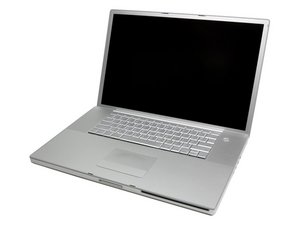
I must now stay almost beneath my airport extreme with my MacBook Pro (17in mod 1151). If I leave the room, all is lost. I used to be able to go to the house next door and work. It was fine until about the time I upgraded to 10.6.

Is there something somewhere that allows varying the RF power of the card in my MBP? Or is it the Airport Extreme? Can I manipulate its power output?

Gary Hall

Edited by: iRobot ( ) , bac ( ) , Sterling Hirsh ( )

Post Answer

2

Score

Avatar
machead3
21.3k

Answered

PermalinkHistory

This is a Known Issue with 10.6.

Look here for some things to try.

New wireless devices added in the neighborhood can can cause interference too, especially if of the same signal range ... Sometimes changing the channel can overcome this.

Good Luck,

N.

seems good advive. I found that range seriously depended on the channel I chose (middle = longest range) when I tried to avoid neighbours channels. try it!

Spikey2,

1

Score

Avatar
Riy
47

Answered

PermalinkHistory

I have an airport express and it was almost touching my modem and it would cut out in some spots like you say yours is. If you have anything that may be causing interference with your airport extreme just try moving it.

Also how old is your airport extreme and do you have any wireless home phones that are 2.4GHZ because those may be causing interference.

Here's an article that might help.

Also updating your software and firmware could help.

Edited by: Kyle Wiens ( )

Add Your Answer
