
 2
2  1
1 Random Mac Pro restart/shutdown
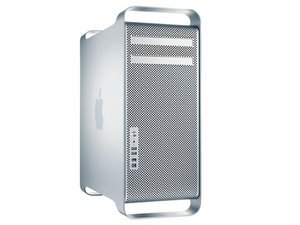
My tower just randomly restarts or shuts down. I took it to a certified Apple repair and they said nothing was wrong with it, however the problem persists.
I did have them professionally clean the inside because I noticed the fan would come on stay on after a certain point.
It's also well ventilated.
If I do not use the computer for days, it will work fine for a while. However if I use it consecutive days, the problem appears and happens more frequently. I spent $700 having the "repair" place clean it and tell me nothing was wrong.
Please advise.
Is this a good question?
Score
3

 359
359 


4 Comments
Guys i am having the same issue with my 2012 mid Mac Pro and I’ve taken it into Apple store three times and they can not get it to replicate the issue. But it starts out shutting down without warning , especially when I’m working in photoshop or adobe bridge. It will do this at least once a day and it progressively gets worse until it shuts down every time i restart and it will not stay on. I’ve tried changing surge protector, cleaned it out and reinstalled operating system and reformatted the computer. I’ve replced the ram and added another hard drive. I returned this last time from Apple store about three weeks ago and has started doing the shut down in the middle of the day. Sometimes it restarts and sometimes it stays off. Please help. I read Somewhere about a washer melting and being the problem but now i can’t find where i read this?
by Susan stevison
Please read my answer.
by mayer
Hi Cynthia! I'm wondering if you had ever gotten this issue resolved? If so what was the solution to your problem?
by Michael J. Walls
I have not fully gotten this issue fixed...but a lot less of the time this is happening. Its Photoshop and Camera Raw from Adobe. Its systematically happening when I work with ACR
by Susan stevison