0
Score
Asked
My Keypad doesnt work it got wet .How do I fix it?
Can someone please help me? Idk if the phone got wet but the whole keyboard doesn't work ...whatever i press comes up as the letter "b" and no other buttons are responsive , my track-pad doesn't work either ..i want to know if i change the track pad if this would help with the keyboard and i would like to know how to fix this problem ? is it possibly a software problem ? or a hardware problem?
Edited by: Stefano Gigante ( )
3
Score
Stefano Gigante
2.5k
Answered
First and foremost: after receiving water damage, is not wise turning a device on.
Actually the water isn't responsible for damaging devices, but electricity is: water reroutes electric impulses were they're not supposed to go, making the device go crazy.
To avoid further damage, you should let the device dry perfectly. Using a Thirsty Bag is the safest course of action, lacking that, a dry cupboard with a cup of silica or (lacking that) rice is helpful.
If you're skilled enough, and you were planning already to do that, open your device, clean it with some isopropylic alchol and let it dry throughly. Otherwise, you may seek the help of someone capable. A severe water exposure may leave droplets of water hiding in every nook and cranny of the device, and they may be hard to remove by a mere drying.
When the device is dry and clean, you can reassess the damage.
If you need help with the opening, I can see there are some guides here on iFixit.
You also say that you don't know if it got wet or not... you should assess it properly.
Re-evaluate the device when it's completely dry and clean, don't attempt to make it work unless all water has gone.
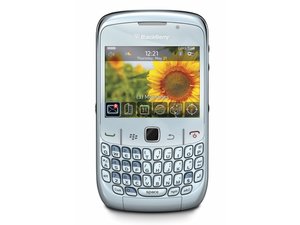
Edited by: Stefano Gigante ( )
Also, follow this guide. And remember to remove the battery http://howtofixstuff.blogspot.it/2012/01...
I do agree with most of what Stefano Gigante is telling you, with the exception of the link. I always suggest cleaning any logic board. Rice will only work in an acute phase and get rid of some of the water. It is first aid only, not a fix. Use this guide to clean your phone. After that, do go ahead and reevaluate. Right now the water may just be a red Herring. It does sound like the keypad or flex cable that may need a bit more of a check up.
Well, fact is that we still don't know two important variables:
1. If, and for how long, the device was exposed to water, thus if we're in the acute phase, where every single way to remove dripping water is needed and the device should "rest" without any energy source attached, preparing the user to the "Clean&dismantl
Nothing wrong with that. Like I said, my preference is the cleaning with isopropyl alcohol. I guess I have had to many bad experience with swollen rice lodged in the dock connectors, head phone jacks etc. as well as starch stained logic boards. It is great as first aid, but I like to stay away from it as much as possible.
I concour with you. Rice is sticky and dangerous, but still it's better than leaving your device unattended or wrapped in a towel (thus keeping moisture in...) while waiting to gather the needed instruments, a tech-savvy friend to help or muster the bravery needed. Let's put that on a scale: a thirsty bag is better than silica pouches, who are better than rice, who's better than "just nothing, put your device somewhere warm and pray the gods of repair while you go fetch what's needed to clean". And most people have nothing at home, not even the silica pouches (who I never throw away, but keep in a dry place). Also, statistically speaking most water damaged devices are brought home still with their battery connected, opened up while still dripping and barely dampened. However, the "manual drying" is just a conservative maneuvre: a through cleaning is mandatory. But before you get to there, the device must rest.
0
Score
Kalos
1
Answered
Guys, I just fixed my daughters Blackberry curve after getting wet. She dried with a hair dryer, then put it with uncooked rice for over 2 weeks. They keyboard did not work.
I work in electronics. So when she brought the phone back from college, I took it apart. They keyboard buttons are covered with a solid plastic that is glued to the actual button pad. The problem is that the moisture gets trapped between the two glued layers and starts to oxidize the circuitry. What I saw was the side of the circuitry for the keyboard showing oxidation (like battery salt). When I pealed the plastic partially from the keyboard, I saw oxidation.
What I did was spray with a DeOxidize spray. Then I sprayed it with a contact cleaner and protector. After assembly, all is working just fine. The only thing is we lost the adhesion between the two keyboard layers.
Good luck to all. I do not promise this will work for all. but I learned that the keyboard is mostly the problem. If it did not work, you would have used it as an expensive paper weight either way.
0
Score
liam
1
Answered







