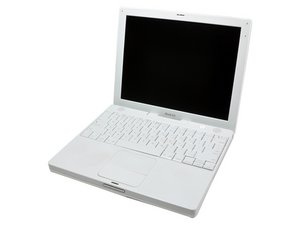

0
Score
Asked
I cannot use Airport for 802.11 wireless connection
When I try to use airport to connect to my 802.11 wireless network, my iBook says that there is no power to the airport. In a device directory under "about this Mac" it shows no airport installed. However I can get the bluetooth to work fine. I came to your site to buy an airport card and found in your description of Product code: IF183-054-1 Apple Part #: 661-3692, you describe the card as a airport/bluetoo
2
Score
lemerise
16.2k
Answered
Curtis, if you buy a new airport/bluetho
To do it you need an external usb keyboard and mouse. So install the card then connect the external keyboard and the mouse.
Connect the top case power switch connector in his socket (at the upper left of the iBook logic board, the blue and white cable) then plug the AC adapter to the iBook. Push the power button, the iBook should boot and once it's booted check if the card is seen by the computer in the Apple menu "About this Mac..". If so open iTunes and play songs with animations on full screen for half an hour or play a movie (we need an intensive job done to heat the iBook heatsink). If the card is still seen by the computer and there were no freeze or kernel panicks during the itunes animations playback then the card and the card socket should be OK. You can reassemble the machine. If the same problem occurs with the new card then you have the AP slot failure so take off the card and use a wireless USB dongle.
leme, is there anyway to test the card without going to the expense of buying a new one outside of putting it another iBook?
1
Score
lemerise
16.2k
Answered
The iBook G4 1.33Ghz 12" and the iBook G4 1.42Ghz 14" are the only 2 iBooks G4 models that use the airport/bluetho
iBook G4 1.33 airport card socket
1
Score
mayer
121.9k
Answered
With respect for what Lemerise said, I've also seen this card go bad, replaced it with no further problems. Here's the card: iBook G4 12" 1.33 GHz or 14" 1.42 GHz Airport/Bluetooth...
Here's how to put it in: Installing iBook G4 12" 1.33 GHz AirPort/Bluetooth Board
iBook G4 12" 1.33 GHz or 14" 1.42 GHz Airport/Bluetooth...
802.11g Airport wireless / Bluetooth 2.0 internal card — 2 available at 69.95 each.
0
Score
rdklinc
15.3k
Answered
Just to add a few comments -- this problem seems to have varying levels of severity. Anything from freezing, to the Airport not being recognized, to the machine failing to boot into the OS. But it's pretty common, to the point where when I'm stuck figuring out how to fix a machine of this model, I ALWAYS try removing the Airport, just to see if whatever problem it's having is being caused by this issue, and fairly often it is. If a machine has this issue, I wrap the two Airport cables with tape (so they don't touch each other or short out the board), and then tape them to the bottom of the board, and leave the Airport out of the machine entirely. Also, I have found some 1.2GHZ 12" iBooks with the internal Airport as well, although they are nowhere near as common as the 1.33GHZ 12" iBook.
John, I have found a way to repair 2 of 4 iBooks G4 12" 1.33ghz that had the airport/bluetho
