
1

Score

Avatar
Colby A
43

Asked

Boots to Darwin/BSD screen?

History

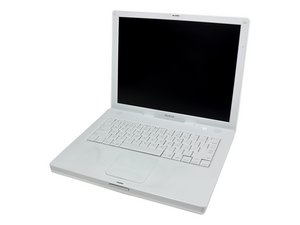
My iBook has been great to me so far....... It boots to the black screen Darwin/BSD and asks me to login and password I do it and it says Welcome to Darwin! Anyway is my HD starting to fail or what. Is there anyway around this so I can get my computer to work?

Edited by: Sterling Hirsh ( )

Post Answer

1

Score

Avatar
Sterling Hirsh
2.3k

Answered

PermalinkHistory

You might be able to fix this with a pram reset (command option p r at boot until the boot chime sounds thrice), but I've had this problem before, and I seem to recall fixing it by reinstalling the OS and/or wiping the hard drive. If I were you, and I had this problem, and reinstalling didn't work, and I had an extra hard drive, I would back up my data and erase/install. If that still doesn't work, say so, and maybe we'll come up with something else.

0

Score

Avatar
mayer
148.1k

Answered

PermalinkHistory

You should be able to hold down the option key and pick the boot up system you want. If this is something you don't want to happen, go to System Preferences - startup disk and select the operating system you want. If I wanted to get clean, I'd back up using Time Machine to an external drive. Then do as Sterling suggests. I would also try booting into Safe Mode by holding down the Shift key when stating up.

Edited by: mayer ( )

The problem that I saw before was that it was booting from your normal drive, but the boot process was broken.

Sterling Hirsh,

Yeah, looks like it's booting to the right drive, just not the right UI.

rab777hp,

0

Score

Avatar
Colby A
43

Answered

PermalinkHistory

thank you guys i will try and see what happens. I have an external but how do i back it up?

0

Score

Avatar
rab777hp
13.6k

Answered

PermalinkHistory

You can clone your drive to the external via the command line (that's what you're booting into), type this:

sudo rsync -avrogx / /Volumes/[Backup Volume]

Where instead of typing [Backup Volume] type the name of your backup, if it's more than one word, say it's called "Backup Volume, instead of typing:

sudo rsync -avrogx / /Volumes/Backup Volume

type instead:

sudo rsync -avrogx / /Volumes/Backup\ Volume

If your volume is just one word, say "Backup" then that's easy, just type

sudo rsync -avrogx / /Volumes/Backup

Should be a piece of cake.

By the way, if you do not know the name of your drive, type: ls //Volumes and it will display the names of all connected drives.

rab777hp,

0

Score

Avatar
Colby A
43

Answered

PermalinkHistory

i replaced the hard drive quit easy. that was the problem!!

0

Score

Avatar
daxuznoir
1

Answered

PermalinkHistory

well i did the pram an it almost boot clear an then it came back

to the terminal. Now I have done basic, an unix man pages,

an dos, an straight linux, but the junk that is Darwin/BSD

written by Brian Fox an Chet Ramey does not follow its

own commands. As in if you are at the login that

is no issue it will take your name, an paswrd.

Fine but now where in six hours of sifting threw

gibbrish, verbose or not do the instructions given

actually work. it always ends in this error, or basicly

DOES NOT compute.....hmm what is the point if they

do not give you the commands to exit the black screen

of $^%#

Add Your Answer

