2
Score
David
37
Asked
Black x in the battery charge symbol?
The battery ran down in my MacBook and when I plugged it in I got a little black x in the battery charge symbol. I tried the battery updater from apple support but I still have the symbol. Any advice?
5
Score
mactech plus
4.5k
Answered
Hi There: The problem you have sounds like an issue Apple found a while back where the Battery updater was not right and caused the battery to become unknown to the computer. They had people update their computers with the Battery Updater 1.2 from their web site. I have had four clients with this problem and only one was fixed by doing this update. Apple replaced the other three batteries for free.
Here is the Apple fix : http://support.apple.com/kb/HT1359?viewl...
They also have a 1.4 updater you may want to look at: http://support.apple.com/kb/HT3421
Each time I was able to get Apple to replace the battery the machine had to be less than three years old. If you meet this time frame call them and talk only to a supervisor. The regular folks on the phone do not know this issue. If you are outside of this time period or the second owner, try the updater mentioned above but be ready to buy a battery.
Try : http://store.fastmac.com/product_info.ph... for the battery
Good luck
Thanks for the informative post -- I had never heard of any of this! I've got a question: Are you saying that any battery that shows up as "X" is being considered by Apple to be defective and they will potentially replace them? I have piles of batteries that show up as "X", and I've just assumed they were "deader than dead"...it never occurred to me that they should be considered defective. Some bad iBook batteries do this too. I've never run across a MacBook that had an "X" for all batteries, and the issue has always been resolved in my experience by putting in a good battery. But this sounds like a good step to try before giving up on a battery.
2
Score
rdklinc
16.6k
Answered
That generally means that the computer has determined the battery is bad, and that it can't charge the battery, or draw power from it. I'd download Coconut Battery:
http://www.versiontracker.com/dyn/morein...
This will tell you the capacity of your battery, load cycles, if it's charging, etc., and generally give you a clearer idea of what's going on.
Although it's possible your computer has hardware issues that are not letting it charge the battery, chances are that your battery has simply gone bad and you need a new one. Try a friend's battery with your computer in order to confirm this.
0
Score
David
37
Answered
Thanks so much for the info. I just got back form an appointment from a mac genius. He ran a battery diagnostic to see how many charge cycles the battery has gone through. My particular battery has gone through around 600 cycles. He said if the battery was under 300 and not being recognized it might be considered for a replacement. I didn't ask if he would try a new battery to make sure that was the issue; I should have. I will just have to buy a new battery. They did however replace the face plate on my MacBook for free because of a few cracks on the edges. That is an awesome link for the batteries.
0
Score
FAB
1
Answered
0
Score
Jon Sim
71
Answered
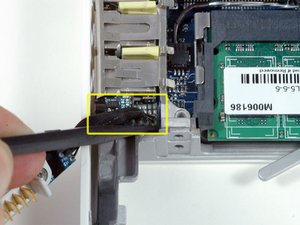
Just as an after thought. I had this problem for ages but solved it sort of by accident when i replaced a broken hinge. When I opened up my macbook the connector on to the logic/circuit board from the battery socket in the battery bay was loose. Pushed it back in and it's been fine and dandy ever since.
Worth a try before you buy a new battery I would have thought.
0
Score
Answered
Wow, I have a similar problem, went to apple genius bar, they wanted to charge me $180 and they would fix anything...I came back did a little more research and found this:
http://blog.laptopbatterylife.com/2011/0...
It worked! very happy...I have a A118 2009 black 13inch and it's probably time for an upgrade but now at least I have my battery back...