
3

Score

Avatar
Tamas
64

Asked

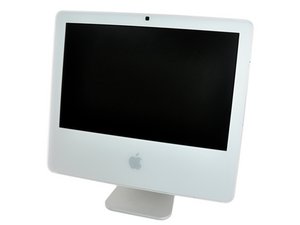
vertical lines on my display

History

Hi All,

I have a couple of vertical lines on my display - the number of lines are growing slowly(6 at the moment)

I mirrored the display on my TV , no lines there.

Is it the display panel itself or could be the wire connects the logic board to the LCD?

Or something else?

Thanks.

Update

I did lot a research on the web, and figured there are lots of people who suffered from the same issue.

There are two possible solutions:

1. You buy LCD panel online and take it to a pc shop and pay for repair.

2. Make a lots of phonecalls to apple and if you pushy enough might get lucky and apple might fix it for you for 30-50$. They changed mine LCD. Said there was a factory defect on some of the LCDs for the G5s.

Give it a try! Good luck

Update 2

Here's a useful thread to check.

Edited by: Ben Sweedler ( ) , Tamas ( ) , Nat Welch ( )

Adrian I had open mine before they fixed it, i had lg/philips lcd panel in mine. I think the brand does not mater if it fits, have the required connectors and matches the resolution You can check the following links: these are pricey a bit: http://mac.macrecycling.com/displayscree... http://www.welovemacs.com/6613626.html this is the cheapest one: http://www.dvwarehouse.com/Apple-LCD-Dis... Hope that helps.. Tamas

Tamas,

Great, can you tell us under what repair program or recall that Apple did this so that your answer could help others?

mayer,

Nice updates on your question Tamas! I actually have this problem on an old Alienware right now. I'm hoping it's just the display data cable, but I'll open it someday soon.

Matt Newsom,

Thank you lines are multicolours and they are fix at the beginning and then start changing colour so it looks as they are moving but the position is always the same in the right-middle. I have a new LDC from Apple becouse I alredy had a pixel break down, I still don't understand exactly what's going on

Robin,

Post Answer

2

Score

Avatar
bac
5.3k

Answered

PermalinkHistory

Are the lines in fixed positions on the screen - i.e. if you change the display resolution in System Preferences/Displays - are they still in the same place?

if they stay in same place and also no corresponding lines appear on an external display, then it's likely the LCD panel itself (and not the graphics chip)

there are a couple other posts with the tag lines on screen where I previously mentioned possible failure of LCD driver ICs

Thanks for the quick response bac! The lines are in fixed positions on the screen - yes, if I change the display resolution - they are still in the same place. I will take it appart and try to pressure the connectors gently. What do you think could it be the display data cable? Or no chance, i have to replace the whole panel? Thanks again.

Tamas,

2

Score

Avatar
matthewfrey
1.7k

Answered

PermalinkHistory

The 17" and 20" screens in both the iMac G5 Isights and the first gen intel iMacs are notorious for having bad lcd Panels - Usually shows up as blue or yellow vertical lines Approx 1px wide.

Right now i have two 2-3 pixel wide white vertical lines. And four 1 pixel wide purple yellow and green lines. Two of these are different colors (changing) from top to bottom.

Tamas,

Is there a solution for the vertical lines on the 17" isight G5? I.E. Is there a source for this LCD panel. Is it possible to replace the screen with the always increasing number of lines with a working one from the original 17"iMac G5 or will the connecting cable not fit? I have been salvaging the original iMac G5's because of defective power supplies and bad caps on the mother board, but the screens still seem OK.

David Austin,

1

Score

Avatar
Arenui Anderson
23

Answered

PermalinkHistory

i got mine fixed by apple for free. Its a special kind of thing for our type of iMac's. Its more like a Customer Satisfaction thing.

0

Score

Avatar
Robin
1

Answered

PermalinkHistory

I had the line 1 appearing, then line 2, and line 3 it took several months before it became unbearable, after several calls and personal questions to Apple, and different answers, I finally payed Apple 35 Euros, instead of 500, and had the problem solved.

This is only, I think, with iMac G5 17" with built in camera.

Edited by: Ben Sweedler ( )

Great. What was the solution?

mayer,

vertical lines appearing and dissapearing after "warming up" on screen, I must check but it could be a little oxidation of logic cable Robin

Robin,

0

Score

Avatar
nick
15.3k

Answered

PermalinkHistory

Either capacitors went bad or the display may be failing

0

Score

Avatar
Jesal
1

Answered

PermalinkHistory

I had this problem with my Powerbook G4 17", Apple replaced it as I had applecare. I asked if they'd seen the problem before, they said, officially "we can't comment"...

My friend's iMac G5 iSight 1.9GHz A1144 is now unusable with countless vertical lines...

My research so far has told me that some people who have replaced the LCD panel themselves have had the vertical lines return after a month or 2. The people who [luckily] had the iMacs fixed by apple hadn't experienced any more problems at all - I'm guessing Apple also replace other components at the same time... sneaky b**t*rds...

I'm currently trying to figure out what needs to be changed, I don't think it's just the LCD panel...

Any ideas?

Peace

Jesal.tribal

0

Score

Avatar
Victor
1

Answered

PermalinkHistory

Same problem here, lots of vertical lines diferent color lines, it started with only one now it is a whole lot of them, trying o fix it myself, i dont have apple care, any help?

@Victor - take it to Apple, they should honor it as a manufacturing defect and fix it. If they say no, then kick up a fuss - they produced faulty goods, they should fix it even outside of the warranty period... threaten with consumer authority action if u have any problems.. good luck =)

Jesal,

0

Score

Avatar
james
1

Answered

PermalinkHistory

i have the same problem with my 15'' G5 i have one or two lines on my screen its not to bad but it gets frustrating

0

Score

Avatar
howtoeverything
1

Answered

PermalinkHistory

The underneath video has 8 parts, you have to search for it to see the whole process... it seems to be the cheapest and most durable fix ;)

As to the root of the Problem:

I did some research myself and found that most display problems are in fact gpu, or better gpu solder problems. The GPU is only cooled by a heat sink, apple's official idea was, that the cpu cooler would pull the hot air also off the heatsink, what doesn't work at all. Just hold your hand left above the apple sign after you used it for a while and you'll see what I mean. Because this heat, the logic board deforms very minimal but enough to brake the soldering... you see very similar problems in notebooks and game consoles.

So if you're at a point where you would through away your iMac anyway, you'd might give this a try and maybe end up with a useable computer again ;)

Part1:

http://www.youtube.com/watch?v=Ok2uJZSQD...

Part6:

http://www.youtube.com/watch?v=nqAg4c9Sf...

0

Score

Avatar
Robin
1

Answered

PermalinkHistory

I had mine changer by Apple for free even with no warranty, after lots of calls in the past two years

Add Your Answer