Keyboard only is available online at ebay. From china (not recommended) and from New York.
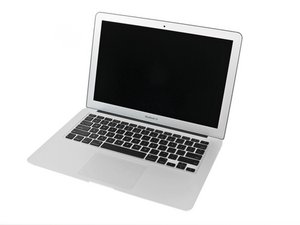
As the guy above said it is not easy to do the repair. It requires removing everything. Logic board, battery, speakers. It will be the most difficult repair ever. After removing logic board and battery and you have not broken the speakers in half the keyboard is riveted in. Getting the rivets out requires simply ripping out the keyboard. Careful of the edges they are sharp. Most of the rivets will come out and you can use the resulting holes with A1278 keyboard screws.
For someone brave enough to literally rip out the Macbook Air keyboard I hope this helps someone.
Now to find out if the 2011 Macbook Air keyboard is compatible with the 2010 version. I halfway tested already with broken 2011 keyboard. Flex cable fits and computer turns on almost all keys work. Could not test all keys since the broken keyboard only half the keys worked. It appears all the screw holes are the same but I did not see the top portion of the keyboard.
2011 has two keyboard versions. Both will function on mid 2010 but with different mislabeled F keys. One you can switch the top portions of the keys and the second one from 2011 has different style keys and brackets which would not allow simply switching the keys.
More Update. I now just rip the old keyboard out after taking surrounding screws out. I tend to curl the keyboard while removing it. I am left with many empty holes where the rivets use to be. I use extra keyboard screws to screw the keyboard back in. No need for adhesive. If in a real pinch I lessened the screw count only screwing in every other screw on the surround outside and used the remaining on the center parts.

 1
1 
 1.1k
1.1k  2.6k
2.6k 




1 Comment
I used the guide from here for top-case replacement, then do these steps
I went to local Fry's Electronics and purchased a Pro's Kit part #SD-9326M that had all the necessary bits and tools needed for US$35.
No need to spend $250 for a new upper case, I figured: what did I have to loose?
I found a brand new keyboard $45.95 (included priority shipping) from MCCComputers.com
Steps: Remove keyboard:: CAREFULLY, remove all #000 Philips head screws around the outside edge of the keyboard on the logic board side of top case. Then, i started at one end, four keys at a time and started rocking around the four corners and pressing firmly in sections (from the side where you usually type on the keys, inward) until the rivets started popping out. MAKE SURE YOU ARE DOING THIS IN AN ENVIRONMENT THAT IS CLEAN and SMOOTH SURFACES. They go everywhere!
Reassembly:use 3M #77 adhesive spray on the aluminum casing to reattach and make up for lost rivets. Snap in rivets with flat end of T-15 bit and screw-in edge screws.
by TuckerLM