1
Score
Asked
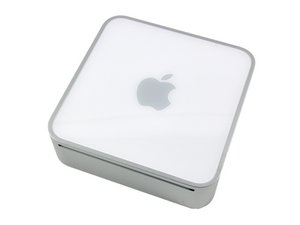
The computer freezes every 10 minutes
After upgrading by my self memory ram up to 4 gb, all seems to go fine but now every 10 minutes I see some vertical stripes on both the sides of the screen, the mini freezes and I have to turn off the machine.
What I did wrong?
Edited by: Autore CompGos ( )
2
Score
rj713
39.1k
Answered
Accepted Answer
That should be the correct memory. Can you reinstall the original memory and see if the computer behaves normally. If it does you may have fallen victim to that rarest of problems--faulty new memory. If the computer runs correctly with the old memory return the new for money back or replacement. Check the numbers on the memory sent back so you don't receive it again. Good luck.
Thank you, it is a good suggestion, I hope to find the courage to open it again, I have serious problems to reconnect the antenna cables, I hope did not break anything with my big hands, I think damaged the surface of the AirPort/Bluetoo
Power it on and test it with the case off, and the Airport antenna dangling -- there's no reason to waste time and effort putting it back together again before you know it's working 100%.
I was monitoring temperatures with MagicanPaster, my mini freezes when motherboard temperature reaches 71º (159.8 F), the temperature indicator turns red and the machine crashes. With smcfancontrol it seems that fan works (1500 rpm). May be I damaged some fan or connection?
1
Score
Majesty
12.7k
Answered
Are you sure you replaced the RAM with the right specs? If you are sure you did make sure you have seated the RAM properly. You can tell when the RAM is properly seated if you feel a slight "thump" when it's inserted completely. Your mini uses PC3 8500 RAM.