1

Score

Avatar
lemerise
15.2k

Asked

How to take off a keyboard key ?

History

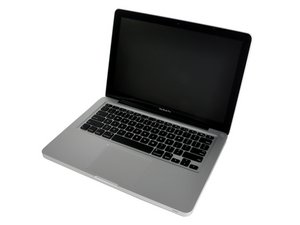
MacBook Pro 13" Unibody 2.66Ghz

What is the exact procedure to take off a keyboard key on my machine ? From which side of the key do I begin the lift up ? Don't want to damage the keys but need to clean a coffee spill under 4 or 5 keys.

Also anyone knows how to restore the backlit illumination of the keyboard after a small liquid spill ? There's a part of the keyboard the doesn't light since the spill.

Thanks guys :-)

Edited by

Post Answer

2

Score

Avatar
David Iwanicki
2.7k

Answered

PermalinkHistory

if you are careful, you can use a flat nylon probe or spudger to lift the key free from the scissor lift mechanism. Go from the bottom of the key, not the sides.

Here is a nice website with a lot of explanation and nice pics:

http://homepage.mac.com/simx/technonova/...

I wouldn't use metal as he has, since you will run a higher risk of damage. Since your goal is not to rearrange the keyboard, but to clean under a few keys, I would remove them one at a time. A Q-tip moistened in alcohol will help remove the dried spill, be sure to remove the battery from the computer, so you don't accidentally short anything out. Don't remove the rubber nub which is under each key - doing so will render the key non-functional!

Edited by

Thanks David, that's a good answer to my question.

lemerise,

0

Score

Avatar
QEII Student IT
3.5k

Answered

PermalinkHistory

I think once you've spilt liquid under the keys and four or five no longer light up you might need to do more than clean under them. However, if careful you can pull the key off the board and 'if careful' leave the key's fixings on the board so you can just stick it back on. I hope that answers the question but i doubt it will solve your problem

thanks. For now my priority is to clean the keys mecanism cause they are sticky a bit. I don't really mind of the backlit system but if there a way to restore it i'd be glad.

lemerise,

0

Score

Avatar
rab777hp
12.1k

Answered

PermalinkHistory

Be careful though, if you break a hinge you can't get it back on and have to take it to an apple store (but they will replace for free). Happened to me with a unibody MB, the ? key.

0

Score

Avatar
Laptop Repair Guy
235

Answered

PermalinkHistory

Here's how you can remove keyboad key.

0

Score

Avatar
sarah
13

Answered

PermalinkHistory

You can also check this link which has videos on how to remove and replace a key for any brand / model of laptop:

How to replace Laptop Keyboard Key Video

0

Score

Avatar
Resteasy
13

Answered

PermalinkHistory

Here is replacement laptop keys video installation guides, the direct link is here http://www.replacementlaptopkeys.com/lap...

Add Your Answer

