
0

Score

Avatar
Shai
167

Asked

Power button is not working - how to fix it?

History

Hi,

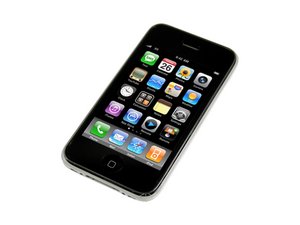
in iPhone 3GS, the power button is not response.

You press it but no action. The phone felt down to the floor many times.. My question is: What could be the way to fix it? what attached to this button? I know that there is a flex reibbon (Gold cable) that attached to the power button, earphones, volume buttons and it is not easy to fix. That's the only part that affected not working power button? That ribbon?

tnx

Post Answer

0

Score

Avatar
Brad
8.4k

Answered

PermalinkHistory

Yes, that ribbon. The Headphone Jack Ribbon Cable #5. A short term fix that sometimes works, is to squeeze in that corner the front screen and back case together (pinching) while pushing the button. When you repair the 3GS, make sure it is OFF before and during all repairs.

How can I know what is #5 cable? Where are the numbers of these cables? Is there a table of it? thanks

Shai,

And could you please add a link of picture of that part?

Shai,

pintching did not work. So what could be the problem? and what is the solution?:) The vibrate button,headset hole, and the volume button are working.

Shai,

0

Score

Avatar
miro klasinc
1

Answered

PermalinkHistory

hey, i have the same issue, pinching it helps but it's getting harder over time. I know how to disassemble an iPhone but can you explain to me how exactly the headphone jack ribbon cable #5 is responsible for it, and why pinching it helps? I'd love to fix it for good.. thanks!

Add Your Answer

