3

Score

Avatar
mayer
148.1k

Asked

top half of screen is greyed out

History

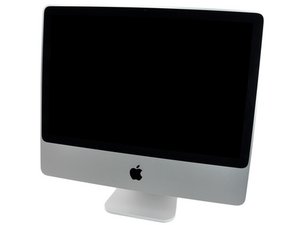
The top half of the screen is greyed out starting at the center of the screen and progressively darker as it goes up. I hooked up an external monitor and it works fine. When first turned on the top of the screen flashes on for a second. I could also use a teardown of this model and where I can get parts for it. The only screen replacement I've found costs $699 and I don't know if this would fix the problem. I've seen a couple of other questions that refer to half screen problems but no real answers. I tried to buy an answer from Apple with no success. The machine is three weeks out of warranty.

Update

I wanted to bring this question back up because I'm working with Miro to do a tear down and repair manual on this machine. We don't have one. I still don't have an answer that I know for sure will work and wanted to bring it before the attention of possibly some other contributors. I've subscribed to the Apple thread on this problem with no results. Any ideas? Thanks.

Edited by: mayer ( ) , Kyle Wiens ( ) , rab777hp ( )

I am working on a Model A1225 EMC 2211 Core 2 Duo 2.8 GHz

mayer,

Interesting question +

rj713,

This was my first question on iFixit and still unsolved. Does anyone know where I can purchase a CCFL BACKLIGHT LAMP for this 24" iMac? Also the procedure for installing it?

mayer,

Post Answer

4

Score

Avatar
lemerise
17.3k

Answered

PermalinkHistory

Seems to be a backlight issue. I think there are two backlight bulbs in the 24" iMac LCD screen so the top one could be bad or the inverter board for the top backlight. From what you describe the backlight try to power at boot up but only flash and doesn't light.

Edited by: lemerise ( )

All right, now I know where to start looking. Thanks

mayer,

I don't know if there a 2 inverter boards in your iMac model. If yes then you may check the one who powers up the upper backlight. If there's only one for the two bulbs then the issue is probably the upper backlight itself and that means replacing the LCD screen or try to find someone who can replace the screen's backlight bulb.

lemerise,

2

Score

Avatar
Kevin
25

Answered

PermalinkHistory

I have a 20" iMac EMC Number 2133 that has the same problem. It is about 3 years old and out of warranty. The top half of the screen is considerably dimmer than the bottom. It just started about 3 weeks ago. I started by ordering a brand new inverter and replaced it in my machine, same problem. I even flipped the inverter around and tested with different plugs into the top backlight and it was still dimmer than the bottom. The inverter I bought was from dvwarehouse.com and was claimed to be brand new, so it seems that the problem is the screen. I dont want to pay $500+ for a new LCD, I'd rather find a backlight and replace it on the screen, or if possible, buy a cheaper 20.1 inch monitor from a big box store and swap the screen out if it is compatible. If anybody knows how complicated/dangerous this is, let me know. Also, it would be great if anyone could point people in the right direction to find parts needed for this repair. (LCDs, Backlights, etc.)

I hope I'm not breaking any forum rules posting this on an existing question, I just wanted to contribute more information to the original posters question.

+ This was the question that brought me to iFixit in the first place. I never got an answer. The iMac in question was hooked up to an external monitor. I suspected the problem was not the inverter. Still to expensive to replace. Thanks for your input.

mayer,

0

Score

Avatar
Adam
1

Answered

PermalinkHistory

I had a similar problem. It was the top right of the screen was darker and steadily got worse. However it displayed fine on an external monitor. Try the flashlight test on it to see if it is the backlight. If the image clears up when you display the light on it then it is probably the backlight. In my case it was the inverter cable.

0

Score

Avatar
Colm
25

Answered

PermalinkHistory

I don't know if this is relevant to the original problem asked.

I got the winning bid on a 20" imac 2.0 and went to pick it up, When it was brought out and turned on I noticed dark patches at the corners of the screen and mentioned it to the seller, who promtly walked into the back of the store and took out another imac, turned it on and no dark edges to the corners.

I think this points to variations in the screen manafacutre or rather bad quality control at the least.

So I was wondering if the dark half is really a back light issue and not just a LCD issue.

This was my very first question on iFixit. I still don't really have an answer. I've marked a lot of questions with the tag "half screen problem" so you can do a search for that. I've repair a couple of these now by replacing the LCD. I've seen a lot of questions on the "brown spots", I believe this is a manufacturing defect and we may eventually see Apple take care of it so save your receipts. It also took them a long time and a class action suit to take care of the Nvidia problem. I now have a screen to tear down that had a brown strip at the bottom and that is on my "to do" list. I'll probably also try changing the CCFL tubes on it if I can find the parts. I'll do a guide on this as I do it.

mayer,

0

Score

Avatar
jeffcyho
1

Answered

PermalinkHistory

Hi Mayer

I wonder if you ever found an answer to your problem?. I have the same iMac and it's displaying the same symptoms. I described the problem to a Mac fix it company and they said it could be an Inverter issue or even worse, a logic board fault which they said was unlikely. They offered to sell me a Inverter board but I don't want to spend unnecessarily and find I do need a new LCD. So can you let us know if you ever got the answer?

Thanks

This is my very first question and why I first came to iFixit. No, I didn't ever get an answer. My best bet would be a bad CCFL tube and I've never found anyone that sells them this size. On other machines, replacing the screen has fixed the problem. I asked Apple about the screen issues just two days ago and there was "no comment" on these screen problems. My suggestion is to replace the screen, keep your invoice and wait for the class action suit. Apple finally fessed up on the Nvidia (of course they passed it on) but they did pay for repairs made previously.

mayer,

-1

Score

Avatar
rab777hp
13.6k

Answered

PermalinkHistory

Sounds like a bad LCD then, if the external monitor shows picture just fine.

Is this another spam-downvote?

rab777hp,

I didn't vote you down here, but I can if you would like me to prove it. Your answer contributed absolutely nothing. Look at the people talking here and the conversation. Why would you even say anything? If you are getting down votes why not look at the answers. I've voted you down a couple of times and up a couple of times. Examine your answers that get voted down instead of getting paranoid.

mayer,

I also don't care for you editing what machine I am working on, I had to call my customer back and get the correct one. Please stay away from my posts.

mayer,

FYI- I didn't change the device, just matched it to the tag for the machine you specified.

rab777hp,

You changed it from one specific machine to a choice of four machines the 2211- 2.8GHz, 2211- 3.06GHz, 2134 - 2.4GHz, 2134 - 2.8GHz Are all the parts interchangeable? Please stay away from my posts

mayer,

Show 2 more comments

Add Your Answer




