5

Score

Avatar
rdklinc
15.3k

Asked

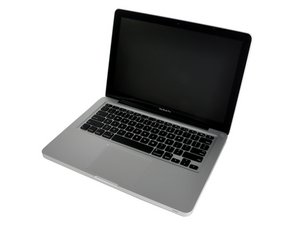
Why does this machine periodically shut off?

History

Hi All!

I came across this beautiful machine, but it has the quirk of shutting down periodically. First, I thought it was a bad AC, then I thought it was the RAM, but I've replaced them both, and it's neither of those. It's not overheating -- iStat Pro reports very low temperatures, and even then I replaced the thermal paste to be sure. I thought it was only happening on AC power, but I left it on overnight disconnected and sure enough this morning it's off. Sometimes it goes for hours...in fact the first day I had it it didn't do this...and sometimes it shuts off within 10 minutes. There's no rhyme or reason. I'm considering replacing the DC-in, although now that it seems to happen on battery power, I'm not sure that's a likely culprit. When it dies, it makes that sort of electrical sound like it's shorting out, although I've removed the board and put it back, and I'm pretty sure everything is tight and secure.

Anyway, if anyone has ideas, please let me know. I'm not as familiar with the quirks of newer machines as I am with the old stuff.

UPDATE:

I forgot to mention, if you look in the picture, you can see a chip on the casing of a component close to the video connector. I don't know what this is, or if it has any relevance. It does not look like the copper coil (?) inside is damaged, and there's just a chip out of the casing. However, if this is relevant, is there any chance of a makeshift repair, since it's just the plastic casing?

Block Image

UPDATE #2:

The frequency of shutdowns has become much more frequent, to the point now where it dies instantly when I try to power on. I hit power, and in only a few seconds I hear the electrical shutoff sound. Very strange that the machine would go from working for long periods, to shorter periods, to almost nothing. It's as if something in the machine is weakening, losing charge, losing tolerance, etc.

UPDATE #3:

After sitting all night with the internal battery disconnected, it now seems to be stable, and it has survived an OS reinstall, plus a couple hours of use. Apparently whatever "bad charge" was haunting the machine has dissipated due to lack of power. However, I won't feel confident that I'm out of the woods until the machine has behaved flawlessly for at least a few days.

UPDATE #4:

I was finally able to try a different DC-in, but it didn't help. However, I definitely think the problem has been defined, i.e. after being left disconnected from battery for a period of time the machine works, but then when re-connected to battery, the machine powers off more and more frequently until it is unusable.

Thanks!

UPDATE #5

Wow, thanks! That's interesting info...I had no idea what it was.

Edited by

The usual tough question I've come to expect from you and mayer. Be looking forward to the answer. Nice catch oldturkey.

rj713,

Post Answer

2

Score

Avatar
rdklinc
15.3k

Answered

Accepted Answer

PermalinkHistory

Realized the machine had Applecare, cleaned it up to look presentable, and gave it to Apple to swap the board. Problem solved! :-)

3

Score

Avatar
oldturkey03
59.5k

Answered

PermalinkHistory

rdklinc, the broken IC is a discrete LAN Filter LFE8904C-F By Delta Electronics, Inc. Datasheet is available at http://www.datasheetdir.com/LFE8904C-F+C... as for the rest of your problems....sorry I am not an APPLE person just yet. Good Luck

1

Score

Avatar
Majesty
12.2k

Answered

PermalinkHistory

Have you tried running the machine without it's topcase RDKL? I would try that just to make sure it's not a faulty topcase. I also would rule out the DC In if it happens while on battery as well. Could also be a component failure if you can audibly hear a short. What OS is it running? Is there a bootcamp partition on this machine? Have u tried a fresh install of OS?

Edited by

Yes, I've disconnected all topcase cables and jumped it, with the same problem. It dies randomly even when booting from its own reinstall DVD, which I think rules out all OS-related possibilities.

rdklinc,

0

Score

Avatar
tonkajds
25

Answered

PermalinkHistory

Good day rdklinc:

In what manor does it shut off? Does it go through a shutdown process or, does it wink out as you are using it?

If it goes through a shutdown, then try checking under the energy saver tab of System Preferences. Once there, in the lower right corner you will see a button called: "Schedule...". Click it, and then in the window that pops up make sure that the second checkbox is not checked.

If it just dies unexpectedly, then more information is need to diagnose the issue.

Tonka

Hi! No, it's not a scheduled shutdown...like I mentioned it's an intermittent electrical issue, probably either a short, or a sensor being triggered.

rdklinc,

0

Score

Avatar
Tony Pirog
1

Answered

PermalinkHistory

Shutdowns like this are usually related to heat. The machine should be taken apart, fans cleaned, and thermal gel checked and re-applied to the processor.

Did all that. Like I mentioned, I monitored iStat Pro and the machine was nowhere near overheating.

rdklinc,

0

Score

Avatar
Player Onesix
1

Answered

PermalinkHistory

rdklinc: I may have a surprise for you. I too am presently suffering the same symptoms and did many things that you have done -including swapping the mother board. I listened to the 'electrical sound like it's shorting out' sound and noticed it emanating on the right side. After a week, it started again. It became frequent -again. I took it in and they held it close to a week. They gave up and said for me to call Apple and forcibly 'beg' for a new machine if need be -due to it started before its anniversary date and now has passed. I guess the only good thing is that it takes about 45 seconds to start-up and type in the password before I'm at the desktop: that's tolerable… just!

I pondered. After holding the machine, I placed it down and "click"! That was strange. While restarting, I lifted just the right side and heard the same 'click' but it didn't shut off. I then shook it, then nothing. When sign-in screen came on, I gave it a little shake and 'click' it went off. Ah ha! Now I was able to make it shut off at will by doing this.

I removed the back, and turning it on its side, I turned it on and I shook/listened, 'click', it was off. It must be the hard drive. Again I did it -with a lite finger on the hard drive and shook, 'click', felt a tiny vibration. Again, but this time I tapped the hard drive with a fingernail 'CLICK'!

So chances are, you may end up going through this again to realise, it's your hard drive.

Edited by

Thanks, but it was not the hard drive -- it happened with the hard drive out.

rdklinc,

-1

Score

Avatar
Charles Fisher
349

Answered

PermalinkHistory

Hello there, did you replace the battery through an outside source (other than apple)? if so then you may want to first make sure that the battery is FULLY charged prior to any usage of your laptop. Also, any 3rd party software or Itunes songs that you added yourself will cause a software issue that will make it shutdown randomly as well. Batteries other than the apple designated ones will work but the Mac does not like them and it could result in a random shutdown too. When you get it up again look in the kernel log and look for "Shutdown Cause," there will be either a 0 or -82 number you will see. That is usually related to a hardware issue. If it appears to run stable for at least an hour then go ahead and run the apple hardware test from disk #1 (do the extended test). Please use a firewire optical drive if you have one, I have found that you have less problems with shutdows while you are running the test.

Now this test is NOT totally full-proof but it will detect the obvious problems if there are any. Otherwise you can take it to a Apple store and ask them about this program that they are offering to have your machine repaired for the total cost of $350.00 That cost is suppose to include whatever parts the machine needs, I forgot the name of this program that Apple is offering (something about a "Depot" Program I guessing). Anyways you can call the store and ask them about it.

-1

Score

Avatar
Charles Fisher
349

Answered

PermalinkHistory

This random shutdown issue has been around ever since the introduction of the Macbook book pros. I've never heard of any issues with any of their desktop models having this problem. Now you would think that apple should have gotten a completely good handle on this problem but yet it still to this day eludes them. Now their competitors (the PCs) have no such issue, why is that? With all of this advance and perfective circuitry (not to mentioned the associated cost of these machines individually) why is it that Apple cannot resolve this issue with all of their laptops that continues to have this shutdown issue? I've had them to replace the logic board before and yet still, this replacement have the same issue. Oh, not as much but 1 time is more than enough for me because I have lost valuable data and work projects when it did that random shutdown on me. You can try various things and just hope for the best, in the meantime if you can live with this random shutdown business then by all means do so, if not for nothing else at the very least just for the sake of getting the most out of it for the money that you spent on something that should never have had such a NAGGIN problem. I still love Macs but not the "Mac Curse."

Add Your Answer