
0
Score
Asked
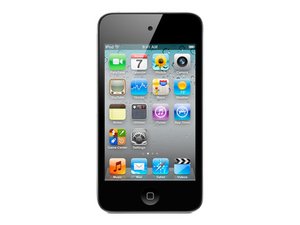
Why is my screen white after I replaced the lcd and digitizer?
Recently i crakced my screen and ordered for a replacement. Upon recieving my new lcd and digitizer i installed it carefully and assembled it back to original. my problem is that when i tryed to turn it on the screen is white. i tried to do a reset by holding the home button and screen lock button for 30 to 40 seconds but it is no working. any ideas of what i may have done wrong or could it be a faulty part? thanks so much -travis
Edited by: pollytintop ( )
2
Score
oldturkey0
88.1k
Answered
Accepted Answer
Travis Mo, it is always possible that it is a defective product, but first what I would do is to disassemble again and triple check the connections and to make sure that everything is seated properly and that all cable and connections are clean and straight.
it looks like everything is clean but its hard to tell if im lining up the part where the ribbon cables connect to the motherboard. i assume its got a good connection cause it clicks it and seems like its how it should be but still no luck...
1
Score
Adam Boyd
37
Answered
this is a common problem, look for a program called recboot stick the ipod into recovery mode and wait a min, then connect to itunes, then quit itunes again, run recboot again and kick it out of recovery mode this should sort it out, if not then it is possibly a fault caused by static which can sometimes resolve by running the battery completely flat and leaving alone for a day or so then put a little charge in it again!
so i tried using recboot and it told me to download usblibO.dll and some other file so i did but after following a tutorial on how to do it i still couldnt get my screen to show anything but black or white. i can tell its connected to itunes cause my computer notifies me that its connected but i still cant figure it out. thanks for the help
1
Score
Tristan
422
Answered
1
Score
c66l6
13
Answered
it is the connection I hold mine down and it works and I le it go I feel it move and it goes white. the LCd connector is a pain in the rear end to stay down while putting the screen in place
Update
it is the connector when I hold it down it works but when I let go it moves and the screen fades to white. so the connection is incomplete. Th connector is a pain to keep down in the replacement.
1
Score
Answered
I have just managed to replace digitizer/lcd. First the result was white screen. Then I changed back to the old screen but now that was white too. Then I tried to reset ipod like described holding home, vol. Up and then power button. Hold all three buttons until the screen turns on and show the apple. After several tries it worked and I replaced the old screen with the new again and it worked. Good luck.
Sorry bro i just copy and pase your answer,but your way works perfectly...dea
1
Score
john
25
Answered
In most cases its a loose connection or you need to reset the device.
On the other hand I've actually seen screens go white that are defective. To double check, I hang on to a couple of old cracked screens just to connect up to rule out a bad replacement part.
Be careful though, pulling up that logic board over and over to re-connect the (thin cable) to the bottom of the board can be trouble - logic boards have a tendency to snag the power/volume flex cable and tear it, which means soldering and a lot of hassle. I smooth down the power cable with a pry tool and stick on a piece of Kapton tape (after a few "costly" mishaps) before pulling up the logic board.
Last, don't use your finger to snap down the cable onto the board -- use a pry tool - gently, because too much force can break off the connector on the logic board and your into big mess.
1
Score
michael
13
Answered
Hi, mi name is michael monreal, im a apple techinician, okay to solve this problem, conect everything on the ipod, make sure everyting is on the right place. after this, if you have the WHITE SCREEN. press down Power+home botton. this will cause the motherboard to refresh, because the static caused to {crash}
i hope this solve your problem any questions Michael0master@
1
Score
Willem
13
Answered
Hey
I got the same problem.
http://desmond.imageshack.us/Himg513/sca...
But if i put the old screen in, all works fine. But with the new I got this. I already reset the ipod etc but nothing seems to help.
What do I need to do?
Kind regards
0
Score
Answered
i have the same problem... white and black... SOOOOOOOOOOO mad, but, i think my problem is that when i tried to put the fatter ribbon coming from the digityser, the ribbon was not clicking in, and i might not have realized it, but can someone PLZ tell me what that wire is for... becouse i think it is for the color on the screen, but im still not sure. plz tell me.- Ian.
0
Score
Lymus
1
Answered
Hi,
I have similar prob. Few weeks ago I have replaced LCD assembly to one customer, and it worked fine. After 5 days he brought it back to me because it was showing just a white screen. I have opened and checked LCD connection tried it again, and for a few seconds it came back to live, but then again back to white screen. I fitted another brand new LCD unit and it worked just fine, but today, after 4 days, i have received a call from him saying that again he is got just white screen. Did anyone had similar issue with these LCD units, and maybe someone can give me some advice. Thanks.
0
Score
kamil
1
Answered
0
Score
ieman
1
Answered
0
Score
conner
1
Answered
0
Score
Krayzee
107
Answered
0
Score
Answered
Recently, I bought iPod Touch 4 LCD Assembly from China after replacing it, my screen went to white only. Eventually, I realized that Digitizer connector is different from original one. The original one has wider plastic block in the middle of connector than faulty one from China. Do you think that the different connector makes white screen problem?
0
Score
Answered
I've ordered from wholesaler's that get their products from China. A few months back I got a batch of replacement screens and none would work. The replacements, which I received, had 4 rows of connectors on the thin cable vs 2 rows that is standard on the stock screen that came on the iPod.
If you look at the one in the top photo, the one with 4 columns of pins, I could never get those to work.
However, the bottom photo, is a replacement that matches the connector that comes built in from the factory. They have all worked fine.
0
Score
Answered
The white screen problem is easily fixable, since it's a static crash when you deal with the LCD, it's just power button + home button for 7-10 seconds. My problem is getting the Digitizer to work once the LCD is working fine. Having issues with the digitizer connecter at this point, I'll post an update as to what it is later..
0
Score
blane
1
Answered
0
Score
juan
1
Answered
While holding the home button down and volume up button, push and hold the power off button and hold that until you see the apple sign.
Update
While holding the home button down and volume up button, push and hold the power off button and hold that until you see the apple sign.
try it will really work !!!!!!!!!!!
0
Score
russell
1
Answered
ok so i have a problem too i replaced the screen all was fine and working untill i realised i forgotten the sticky double sided stuff so i open it up and connector came off so i pushed it back in and now all i get is the white screen i connect to itunes done a restore and still no joy tried resetting with vol up power and home but still no joy ??
0
Score
Answered
I have had the same problem. It happens that I had replaced the screen and It worked fine but It was one of the older iPod touch 4g when it can out. My sister also had a cracked screen so I had offered to fix it for her. I followed the same procedure and everything came out well after a few connection problems wight the touch sense cable below the logic board. I left it clamped overnight for the adhesive to get the screen in the right place. In the morning I plugged in the iPod and clamped it a little more with heat and the screen turned white. I tried to open it again and place the digitizer cable correctly and the screen stays white after a few resets with the home and power button. Please anyone if you can help do because it is my sisters. Thanks!
0
Score
Answered
0
Score
Answered
0
Score
damien
1
Answered
i tried all ur guys ideas nothin worked ive just found this site give it a try it just worked for me ..... http://www.ehow.com/info_12148465_happen...
0
Score
Answered
0
Score
Answered
I had the same problem. I replaced the screen and after I put everything back together I got a white screen. Hard reset did not help.
The connectors on my replacement screen didn't have the black rubber protectors on them that all the other connectors in the phone have. So I just put a few layers (2-4 layers should do the trick) of electric tape on the screen connectors so the shield that goes on top of them would push them down. I turned on the phone and was greeted by a lovely apple logo right away.
Hope this helps.
I just tried to fix an ipod touch 4g with cracked glass. After a careful teardown and re-assemble I encoutered the same issue. I even tried connecting the old screen with the cracked glass but found the same white screen haunting me. I am going to try recboot but I am now wondering what to recommend to the customer I have. Any progress Travis?
Bill Artz,
Hey bill. I did eventually get mine to work but I ended up getting another new lcd from the same guy who sold me the first one. When I plugged in the second one it immediately showed up. If your having the same issue then out could possibly be a faulty lcd. I was also told the lcd and digitizer had to be fuzed together but they were incorrect cause mine works just fine in two separate pieces. I hope this helps! -travis
Travis Mo,







